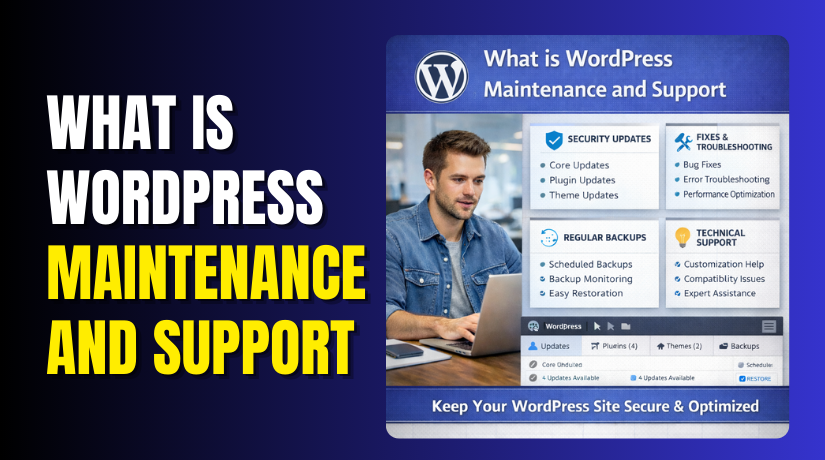
WordPress Maintenance and Support: What It Means, What You Get, and Pricing
Table of Contents
- Introduction
- WordPress Maintenance and Support Explained in Simple Terms
- What Does WordPress Maintenance Include in a Professional Plan
- A Practical WordPress Maintenance Checklist for Site Owners
- How a WordPress Maintenance Plan Usually Works
- How to Pick the Right WordPress Maintenance Services for Your Site
- WordPress Maintenance Cost Per Month: What Impacts Pricing
- Conclusion
Introduction
A WordPress site is never a “set it and forget it” job. New updates roll out often, and old files can turn risky. One small plugin issue can break your forms or menus. A slow site can also push visitors away fast. That is why WordPress website maintenance matters for every business. It helps your site stay safe, fast, and working daily. It also protects your SEO, leads, and online sales.
Many site owners wait until something fails badly. That delay often costs more than regular care. With steady help, you fix small issues before they grow. You also keep your website ready for traffic spikes and sales days.
Common problems that maintenance helps avoid include:
- Slow loading pages and poor mobile performance
- Broken contact forms and missed leads
- Update conflicts that crash pages or design layouts
- Security risks from outdated plugins and themes
- Random downtime that hurts trust and rankings
WordPress Maintenance and Support Explained in Simple Terms
WordPress maintenance and support means ongoing care plus real help. Maintenance keeps your site stable and prevents common problems. Support fixes issues when something breaks or acts strange. Together, they keep your website reliable for visitors and customers.
Think of maintenance as regular checkups for your website. Think of support as the repair team when trouble starts. Most WordPress maintenance services include both, in some form.
Here is the simple difference most people need:
- Maintenance: Updates, backups, security checks, and speed tuning.
- Support: Error fixes, plugin conflicts, and quick site recovery.
Here is a real example from a business site. Your contact form stops sending messages after an update. Maintenance would reduce that risk with safer updates. Support would find the cause and fix it quickly. If you run WooCommerce, support also matters more. A broken cart or checkout can stop sales in minutes.
What Does WordPress Maintenance Include in a Professional Plan
When people ask, what does WordPress maintenance include, they want clear tasks. A good WordPress maintenance plan covers safety, speed, and stability. It also keeps your site ready for daily visitors. These WordPress maintenance services focus on prevention first. They also reduce sudden downtime and costly fixes later.
Core, Theme, and Plugin Updates Without Breaking Your Site
Updates keep WordPress secure and working with new standards. But rushed updates can break layouts or key features. A smart process reduces risk and saves time. It also protects forms, menus, and WooCommerce checkout flows.
A safe update routine usually looks like this:
- Review available updates for WordPress, themes, and plugins
- Take a fresh backup before changing anything important
- Update in the right order to reduce conflict risks
- Test key pages like home, contact, cart, and checkout
- Fix small issues before they become bigger problems
This is the heart of WordPress website maintenance for busy owners.
Security Monitoring and Protection That Prevents Costly Hacks
Security is not just one plugin you install once. Threats change fast, and old files become easy targets. Maintenance adds regular checks that protect your site daily. It reduces brute force logins and spam signups too.
Common security care tasks include:
- Monitor for unusual login attempts and blocked access
- Scan for malware signs and risky file changes
- Review user roles and remove old admin accounts
- Keep security rules updated as WordPress changes
Strong security supports WordPress maintenance and support goals long term.
Backups and Fast Restore When Something Goes Wrong
Backups are your safety net when problems hit suddenly. A good plan runs backups on a steady schedule. It also keeps copies in a safe location. Restore support matters as much as the backup itself.
A reliable backup approach includes:
- Full site backups, including files and database
- Simple restore steps when an update fails
- Quick rollback if a plugin causes major errors
This helps you recover fast and avoid long outages.
Performance and Speed Maintenance for Better UX and SEO
Speed affects user trust, leads, and search rankings strongly. Small issues can slow your site over time. Maintenance keeps the site clean and running smoothly. It also improves page load on mobile devices.
Typical performance work includes database cleanup and image checks. It may also include cache review and script cleanup.
Uptime Monitoring So You Know When Your Site Goes Down
Downtime can happen when you least expect it. Uptime monitoring alerts you when your site is unreachable. It helps you act fast and limit lost sales.
Support Tasks You Usually Get Along With Maintenance
Support is the action side of ongoing care. It solves issues that slip past prevention steps. Good support keeps your site working without long delays.
Common support tasks include:
- Fix plugin conflicts and theme layout issues
- Repair broken forms, buttons, and menu links
- Solve WooCommerce cart, checkout, and payment errors
- Help with SSL warnings and mixed content problems
- Troubleshoot hosting and DNS issues causing downtime
A Practical WordPress Maintenance Checklist for Site Owners
A clear WordPress maintenance checklist helps you stay in control. It also reduces surprises like errors, hacks, or slow pages. You do not need to do everything daily or hourly. You just need a simple routine that stays consistent. This checklist also supports any WordPress maintenance plan you choose later.
Weekly WordPress Maintenance Checklist
Weekly checks help catch small issues before they grow. They also keep your site safe during frequent updates. If you run a store, test checkout every week.
Use these weekly steps for WordPress website maintenance:


- Check for WordPress, plugin, and theme updates.
- Take a full backup before installing any updates.
- Update small items first, then test important pages.
- Test contact forms and confirm emails are being delivered.
- Review comments for spam and remove junk messages.
- Check your site speed on mobile and desktop quickly.
- Scan for security alerts or strange login attempts.
Monthly WordPress Maintenance Checklist
Monthly tasks keep performance strong and reduce hidden risks. They also improve user experience for a visitors on mobile.
Add these monthly tasks to your routine:
- Review your backup history and confirm restores work.
- Clean the database to remove old drafts and spam.
- Check broken links and fix important internal pages.
- Review plugins and remove unused or risky add-ons.
- Check key SEO settings and confirm pages are indexable.
- Review uptime logs and note any repeated downtime times.
Quarterly WordPress Maintenance Checklist
Quarterly checks focus on deeper health and long-term stability. They help you plan upgrades before problems force urgent fixes.
Do these steps every three months:
- Review your theme and plugins for better, safer options.
- Check user accounts and remove old admins and editors.
- Test your site on major browsers and common screen sizes.
- Review site security settings and tighten weak access areas.
- Audit forms, checkout, and key funnels for smooth conversions.
If you want less manual work, use WordPress maintenance services. They handle these steps with regular reporting and support.
How a WordPress Maintenance Plan Usually Works
A good WordPress maintenance plan gives you steady care each month. It keeps your site secure, updated, and running smoothly. It also gives you support when something breaks suddenly. This is the simplest way to manage WordPress maintenance and support. You get a clear scope, faster help, and fewer surprise costs.
Most plans follow one of these common models:
- Monthly care plan model: A recurring plan with set coverage.
- Hour-based care plan model: You buy hours and use them anytime.
Both models can work well for a business sites. The best choice depends on how often you need help. It also depends on your site type and plugin complexity.
What a Plan Should Include for Real Website Needs
A plan should cover the basics without skipping important tasks. It should also explain how support requests are handled. You should know what happens when you need help quickly.
A professional plan usually includes:
- Safe updates for WordPress core, themes, and plugins
- Security checks, monitoring, and basic hardening steps
- Scheduled backups plus restore support when needed
- Speed checks and cleanup for smoother performance
- Uptime checks so you catch downtime early
- A simple monthly report showing completed work
This helps answer the key question, what does WordPress maintenance include. It also sets clear expectations for your website care.
What a Plan Should Not Include Without Clear Limits
Some providers promise “everything unlimited” with no clear rules. That can lead to slow replies or surprise limits later. A better plan keeps terms clear and fair for both sides.
A plan should clearly explain limits for:
- Custom development and new feature requests
- Large redesign work and heavy layout changes
- Major migrations or server rebuild tasks
- Emergency malware cleanup if the site is deeply hacked
You can still get these services, but pricing should be clear. That way, WordPress website maintenance stays predictable and stress-free.
How to Pick the Right WordPress Maintenance Services for Your Site
Choosing the right WordPress maintenance services is about trust and process. You want a team that prevents issues, not just reacts. You also want support that feels fast and helpful. This matters even more for WooCommerce stores and lead sites.
Use this quick checklist before you commit:
- Do they test updates on key pages after each update?
- Do they provide backups and real restore help quickly?
- Do they monitor security and stop suspicious activity early?
- Do they offer clear response times for support requests?
- Do they understand WooCommerce cart and checkout issues well?
- Do they share reports so you see ongoing progress monthly?
When these basics are covered, your site stays stable longer. Your support requests also get solved with less downtime. This is the real value of a strong WordPress maintenance plan.
WordPress Maintenance Cost Per Month: What Impacts Pricing
The WordPress maintenance cost per month changes based on real workload. A simple blog needs less care than a busy store. A site with many plugins also needs more testing time. Custom code can add extra risk during updates too. Your hosting quality can also change support time often.
Here are the biggest pricing factors for WordPress website maintenance:
- Site type: Blog, business site, or a WooCommerce store.
- Plugin count: More plugins mean more update testing work.
- Custom features: Extra code needs careful checks after updates.
- Support frequency: More help requests can raise overall costs.
- Security needs: Stores need stronger protection and faster actions.
- Speed goals: Performance work takes time and steady follow-ups.
When you compare plans, look beyond just the price tag. Check what support channels are included for help. Also confirm if tasks are limited or flexible. A good plan should answer what does WordPress maintenance include clearly. It should also match your WordPress maintenance checklist needs weekly.
Example WordPress Care Plan Pricing Structure (WooHelpDesk)
Many site owners start with quick help for small tasks. Others prefer a longer WordPress maintenance plan for steady support. WooHelpDesk offers both options, based on your needs.
Hourly quick help options:
- Quick Fix (30 minutes): $19
- Full Session (60 minutes): $39
Care plan options with purchased hours and validity:
- Basic Plan: $169 for 6 months, includes 5 hours.
- Silver Plan: $499 per year, includes 15 hours.
- Gold Plan: $879 per year, includes 30 hours.
- Platinum Plan: $2849 one-time, includes 150 hours for 5 years.
This WordPress care plan pricing style works well for many sites. You buy hours and submit tasks as needed. You also get ongoing WordPress maintenance and support in one place.
Conclusion
Strong maintenance keeps your site stable, secure, and always ready. Reliable support fixes issues before they hurt sales. If you want steady help, choose a plan that fits. Start with WooHelpDesk pricing and pick the best match. Review the plans on the WooHelpDesk pricing page today.



