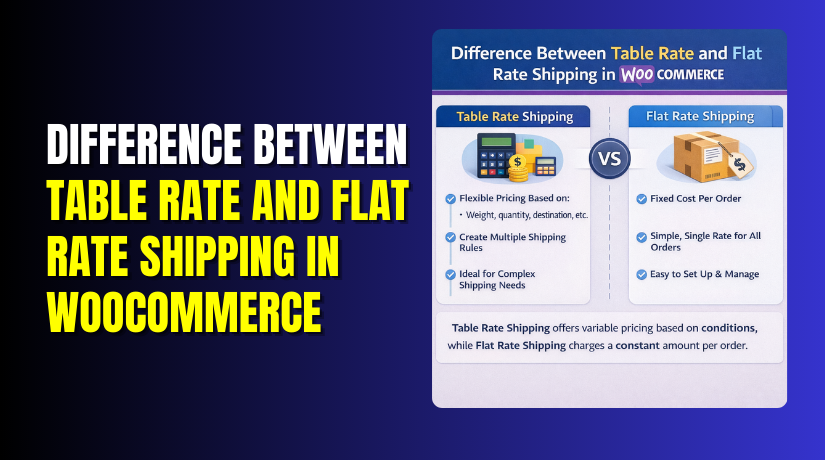
Difference Between Table Rate and Flat Rate Shipping in WooCommerce?
Table of Contents
- Introduction
- What is Table Rate Shipping in WooCommerce?
- What are the Key Features, Pros, and Cons of Table Rate Shipping in WooCommerce?
- What is Flat Rate Shipping in WooCommerce?
- What are the Key Features, Pros, and Cons of Flat Rate Shipping in WooCommerce?
- What is the Difference Between Table Rate and Flat Rate?
- Final Verdict
Introduction
Shipping is one of the biggest conversion factors in any store. Customers compare total cost before they trust your checkout. WooCommerce gives flexible tools for simple and advanced shipping. Two popular options are table rate and flat rate methods.
Many store owners ask about table rate vs flat rate shipping WooCommerce. They want clarity before choosing the right shipping model. The wrong shipping setup can reduce profit and increase cart abandons. The right setup can boost orders and reduce support tickets.
This guide explains both methods in a simple, practical way. We will start with WooCommerce table rate shipping in this part. Later parts will cover flat rate shipping in detail too. You will also learn the difference between table rate and flat rate shipping. You will understand which method fits your products and customers best. You will also learn how plugins make advanced rules easier. A good setup keeps pricing fair and delivery promises clear. It also keeps your store ready for scaling and growth.
What is Table Rate Shipping in WooCommerce?
Table rate shipping in WooCommerce is a more advanced and customizable shipping option. Unlike flat rate shipping, which charges a fixed amount, table rate shipping calculates costs based on various conditions. These conditions can include the cart’s weight, total price, item quantity, and the destination. By default, WooCommerce does not include table rate shipping. You need to install a plugin to enable this feature, such as WooCommerce Table Rate Shipping.
This method allows store owners to create flexible shipping rules for different products and scenarios. You can assign specific shipping costs depending on the weight of the products in the cart. You can also create shipping fees based on the customer’s location or even offer discounts on shipping when certain conditions are met. This makes table rate shipping ideal for businesses with products of varying sizes, weights, or shipping needs. You can set different rules for each shipping zone, giving you more control over your shipping prices.
What are the Key Features, Pros, and Cons of Table Rate Shipping in WooCommerce?
Key Features of Table Rate Shipping in WooCommerce:
- Customizable Conditions
Table rate shipping allows you to define multiple conditions for calculating shipping costs. These conditions can include factors like cart weight, cart total, product quantity, and shipping destination. - Multiple Rates for Different Zones
You can assign different rates for shipping zones. This is essential for businesses shipping nationally or internationally. You can have one rate for local deliveries and a different rate for international deliveries. - Flexible Pricing
You can set shipping fees based on a wide range of variables. You can charge different prices depending on the total weight, cart value, or the number of items in the cart. - Advanced Shipping Classes
WooCommerce allows you to assign shipping classes to products. This helps you apply specific shipping rates to different types of products. For example, you can charge more for heavy or fragile items and less for smaller items. - Shipping Rule Priority
You can set priorities for different shipping rules. If a customer’s order meets multiple conditions, you can decide which rule to apply first. This flexibility helps you build a precise pricing structure that suits your needs.
Pros of Table Rate Shipping in WooCommerce:
- Highly Flexible
The most significant advantage of table rate shipping is its flexibility. It allows you to create complex shipping rules that fit the specific needs of your store. - Accurate Shipping Cost
Table rate shipping ensures that your customers are charged accurately for shipping. It calculates the cost based on multiple factors, ensuring that customers pay a fair price. - Great for Diverse Product Types
If your store sells products with varying weights, sizes, or shipping requirements, table rate shipping provides the flexibility to set different rates for each product type. - Supports Multiple Shipping Methods
You can offer different shipping methods for the same zone, such as standard, expedited, or next-day delivery. This gives your customers more options and increases their satisfaction. - Scalable
As your business grows, table rate shipping can easily scale with your needs. You can add more shipping rules as your product catalog expands and your shipping requirements change.
Cons of Table Rate Shipping in WooCommerce:
- Complex Setup
Setting up table rate shipping requires more time and effort compared to flat rate shipping. You need to configure multiple conditions and pricing rules, which can be overwhelming for beginners. - Requires Plugin Installation
WooCommerce does not come with built-in table rate shipping support. You’ll need to install a third-party plugin to enable this feature, which could incur additional costs. - Can Be Overwhelming
With many conditions and rules to configure, table rate shipping can become overwhelming for store owners. Too many options can confuse both store owners and customers. - Can Slow Down Checkout
Since table rate shipping involves multiple calculations, it can slow down the checkout process. This could lead to longer processing times and possibly lower conversion rates.
What is Flat Rate Shipping in WooCommerce?
Flat rate shipping is a simpler and more straightforward shipping method compared to table rate shipping. With flat rate shipping, you set a fixed shipping cost for every order or product. This method does not take weight, size, or quantity into account. Instead, it charges a single rate for all orders or items within a particular shipping zone.
Flat rate shipping is included by default in WooCommerce. You can easily set up flat rate shipping from within the WooCommerce settings. This method is perfect for stores with small, similar-sized products or for stores that want a quick and easy shipping solution. It is also ideal for businesses that have a small number of products and do not need complex shipping rules. While flat rate shipping may not provide the most accurate pricing, it’s simple and easy to implement, making it a good choice for stores that need basic shipping solutions.


What are the Key Features, Pros, and Cons of Flat Rate Shipping in WooCommerce?
Key Features of Flat Rate Shipping in WooCommerce:
- Simple Setup
Flat rate shipping is easy to configure. It is built directly into WooCommerce, so no additional plugins are required. - Fixed Pricing
You can set a fixed price for all products in a particular zone. This is ideal for stores that sell similar-sized or similarly priced products. - Shipping Zones
Flat rate shipping can be configured within specific shipping zones. You can set a flat rate for domestic shipping, while offering different rates for international shipping. - Free Shipping Option
You can easily offer free shipping for orders over a certain amount, helping encourage larger purchases. - One Rate Per Product or Per Order
You can set flat rates to apply per product, or as a total rate for the entire order. This is useful for stores that sell single items or smaller products.
Pros of Flat Rate Shipping in WooCommerce:
- Easy to Set Up
Flat rate shipping is very simple to configure. It can be set up directly in WooCommerce settings without the need for complex rules or plugins. - Transparent for Customers
Since the shipping fee is fixed, customers know exactly how much they will be charged during checkout. This increases customer trust and satisfaction. - Good for Smaller Stores
Flat rate shipping works well for stores with small, similar products. It eliminates the need for complex shipping calculations. - Customer-Friendly
Customers appreciate the simplicity of flat rate shipping. They know exactly what to expect, without having to deal with fluctuating fees. - Time-Saving
Since flat rate shipping doesn’t require additional configurations, it saves time for store owners. It’s a quick solution for businesses with limited resources.
Cons of Flat Rate Shipping in WooCommerce:
- Limited Flexibility
Flat rate shipping doesn’t allow for complex calculations. It cannot account for varying product sizes, weights, or quantities. - Can Lead to Overcharging or Undercharging
Since flat rate shipping charges a fixed amount, you may end up overcharging customers for lightweight items or undercharging for heavier products. - Not Suitable for Diverse Product Catalogs
If your store sells a wide range of products, flat rate shipping may not be the most accurate way to charge customers. It’s best for stores with similar-sized products. - No Scaling for Larger Orders
As your product catalog grows, flat rate shipping may become less efficient. It doesn’t scale well for stores with diverse product types or international shipping needs.
What is the Difference Between Table Rate and Flat Rate?
The difference between table rate and flat rate shipping is primarily based on complexity and flexibility. Below is a detailed comparison of the two methods:
| Feature | Table Rate Shipping | Flat Rate Shipping |
| Shipping Calculation Method | Based on multiple conditions like weight, quantity, destination, cart total, or product type. | Based on a fixed fee per order or product, no condition-based pricing. |
| Flexibility | Highly customizable and flexible. Ideal for stores with diverse product sizes and weights. | Simple and fixed. Ideal for stores with uniform product sizes and weights. |
| Setup Complexity | More complex. Requires plugins and can be challenging to set up without technical knowledge. | Simple and easy to set up. Requires no plugins. |
| Suitable for Product Types | Great for stores with a range of product sizes, weights, and shipping conditions. | Works best for stores with similar product weights and sizes. |
| Shipping Zones | Allows zone-based shipping pricing with detailed conditions for each zone. | Supports zone-based pricing but with fewer customization options. |
| Pricing Transparency | Can be more complicated for customers due to different conditions applying to different products. | Transparent and straightforward for customers. |
| Cost Efficiency | Ensures more accurate shipping costs based on product and cart specifics, preventing overcharging or undercharging. | May result in overcharging or undercharging, as it applies the same fee regardless of the product. |
Final Verdict
Table rate shipping is ideal for stores with diverse product offerings and varied shipping needs. It’s flexible and accurate, allowing for customized shipping rates based on various conditions. If your store sells products with different sizes, weights, or shipping destinations, table rate shipping will offer a better solution than flat rate shipping.
On the other hand, flat rate shipping is the best choice for smaller stores with similar-sized products. It’s easy to set up and customer-friendly, but it lacks flexibility for stores with diverse products or international shipping needs. For those who need a simple and predictable shipping solution, flat rate shipping is ideal.
In conclusion, both methods have their advantages, and choosing between them depends on your store’s specific needs. If you are just starting and sell similar items, flat rate shipping is the simplest solution. However, if you have a variety of products, or need to scale internationally, table rate shipping provides more flexibility and accuracy.
Have questions before starting with WooCommerce & WordPress? Get support here at WooHelpDesk.



