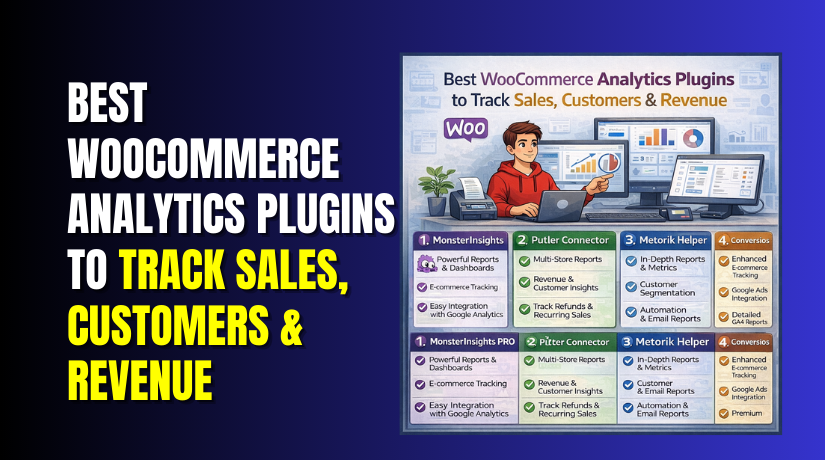
Best WooCommerce Analytics Plugins to Track Sales, Customers & Revenue (Top Picks)
Table of Contents
- Introduction
- What Is a WooCommerce Analytics Plugin?
- Why WooCommerce Analytics Matter for Growth and Profit
- Features to Look for in a WooCommerce Analytics Plugin
- List Of Best WooCommerce Analytics Plugins (Latest & Updated)
- How to Choose the Right WooCommerce Analytics Plugin for Your Store Goals
- Conclusion
Introduction
Running a store without data feels like driving in fog. You may sell daily, yet miss real growth signals. A WooCommerce analytics plugin helps you see what works fast. It turns orders into clear numbers you can trust. It also shows what hurts sales before losses grow. Many owners only check revenue and feel “all good.” But growth needs deeper store patterns and buyer behavior. This is where a strong WooCommerce analytics dashboard matters most.
It helps you spot trends, not just totals. You can track the best products, weak pages, and busy traffic sources. You can also measure results after every small change. The goal is simple and practical for every store. Use data to sell more, waste less, and scale smarter. If you want stable growth, start with strong analytics. This guide focuses on choosing the Best WooCommerce analytics plugin for you.
What Is a WooCommerce Analytics Plugin?
A WooCommerce analytics plugin is a tool that measures store activity. It collects store data and shows it in easy reports. It can pull data from orders, products, and customer history. Many plugins also connect with Google Analytics for richer tracking. This creates a full view of your buyer journey. A good WooCommerce reporting plugin does more than basic sales. It shows which products bring profit, not only revenue. It can show refunds, coupons, and repeat purchase patterns too.
Some tools add charts that update in near real time. Others send weekly reports to your email automatically. Many also show segments like new buyers and returning buyers. This is useful for WooCommerce customer analytics and retention work. The best tools keep reports clean and fast to read. They also let you filter by date, product, or channel. That saves time when you need quick answers.
WooCommerce includes built-in analytics and reports already. Those reports are helpful for basic store checks. But store growth often needs deeper tracking and better views. Plugins expand your reporting with more detail and smarter options. They can add better filters, better dashboards, and better exports. Many also help you Track WooCommerce sales by traffic source. That makes campaign decisions easier and more accurate. If you run ads, this matters even more. A plugin can also help measure checkout issues and drop-offs. This gives you steps to fix problems with proof.
Why WooCommerce Analytics Matter for Growth and Profit
Analytics helps you stop guessing and start fixing real issues. It shows what buyers do before they purchase. It also shows where they leave without buying. That insight is key for higher conversion rates. With WooCommerce sales analytics, you can measure what truly drives revenue. You can find your best products, then push them harder. You can also spot slow products and adjust pricing or bundles. Analytics can show if discounts help or hurt profits. It can also show if refunds are rising over time. These signals warn you early, before bigger damage happens.
Analytics also helps you improve marketing with clear numbers. You can compare email, ads, social, and search traffic. You can learn which channel brings buyers who spend more. This is where good WooCommerce reporting tools become powerful. They help you track ROI with less manual work. You can see what campaigns bring sales, not just clicks. You can also test new ideas and measure results quickly. That makes marketing feel controlled and repeatable.
Customer data is another big reason analytics matters. You can learn who buys once and never returns. You can also find buyers who repeat and spend more. This supports smart email flows and loyalty plans. With strong WooCommerce customer analytics, you can build better segments. You can target VIP buyers with special offers and rewards. You can also target new buyers with welcome deals. You can watch lifetime value improve as retention gets stronger.
Analytics also supports store operations and planning. You can forecast demand during seasonal sales periods. You can plan inventory with fewer stockouts and less waste. You can spot peak order times and plan support staffing. You can also track payment methods and shipping choices. This helps you reduce friction at checkout. If a gateway fails often, you will see the impact. If shipping costs stop buyers, data will show it clearly. Analytics turns store actions into better store decisions.
Features to Look for in a WooCommerce Analytics Plugin
A good plugin should answer questions fast and clearly. It should also save time during daily store checks. The right WooCommerce analytics plugin makes decisions simple and safer.
GA4 Tracking That Measures Real Store Actions
Choose a plugin that supports GA4 tracking by default. It should track views, adds to cart, and purchases correctly. This helps you Track WooCommerce sales from every marketing source.
Clean WooCommerce Analytics Dashboard With Fast Filters
Your WooCommerce analytics dashboard should load quickly on busy days. It should offer filters by date, product, and order status. Fast filters help you find answers without opening many screens.
Sales Reports That Go Beyond Basic Totals
Look for strong WooCommerce sales analytics with clear revenue breakdowns. It should show net sales, refunds, taxes, and shipping clearly. This keeps reports accurate when you compare months and campaigns.
Product Performance Reports That Help You Improve Profit
A strong WooCommerce reporting plugin should show top products clearly. It should also highlight slow products that hurt inventory planning. Product reports help you fix pricing, bundles, and product page issues.
WooCommerce Customer Analytics for Repeat Sales Growth
Pick a tool that supports deep WooCommerce customer analytics insights. It should show new versus returning buyers in clear segments. It should also show repeat rate and customer value trends.
Traffic Source Tracking That Tells You What Really Works
Good WooCommerce reporting tools should track where orders come from. It should connect campaigns using UTM links in ads and emails. This helps you stop wasting budget on weak traffic sources.
Funnel and Checkout Insights That Reduce Drop-Offs
A strong plugin should show steps before the final purchase. It should highlight where users leave during checkout or cart. These insights help you fix friction and raise conversions quickly.
Automation Features That Save You Hours Every Month
Look for scheduled email reports that arrive on fixed days. Alerts for sales drops and refund spikes are also useful. Automation keeps you informed even when you are very busy.
Export Options and Integrations for Better Workflow
Choose plugins that export reports in CSV with clean columns. It should also integrate with email, ads, and CRM tools. This makes your reporting workflow smoother and more scalable.
Speed, Compatibility, and Clean Data Collection
Your plugin should be light and not slow your store. It should work with new WooCommerce updates and major themes. Clean tracking matters more than fancy charts and heavy scripts.
Role Access and Security for Team-Based Stores
Pick a plugin with role settings for admins and managers. This prevents risky access to reports by wrong team members. It also keeps sensitive revenue numbers safer inside your store.
Support and Updates That Keep Tracking Stable
Analytics breaks when plugins stop updating for long periods. Choose tools with active support and regular version updates. This protects your reports and avoids tracking gaps later.
List Of Best WooCommerce Analytics Plugins (Latest & Updated)
#1 MonsterInsights
MonsterInsights turns Google Analytics 4 data into clean WordPress reports. It works well as a WooCommerce analytics plugin for beginners. You can track product views, add-to-carts, and purchases fast. The dashboard shows revenue, conversion rate, and top sources. It also highlights user journeys and helps you spot drop-offs. If you want quick insights without code, it fits well.
Features
- GA4 ecommerce tracking for product views, carts, purchases events.
- In-WordPress reports for revenue, conversion rate, and top channels today.
- User journey reports showing steps before purchase and exits clearly.
- Custom dimensions for authors, categories, and logged-in users tracking too.
- One-click setup with ecommerce addon, no manual tagging needed here.
Pros
- Very beginner friendly setup with clear steps and helpful prompts.
- Shows key store KPIs inside WordPress, not another platform daily.
- Strong GA4 integration for accurate ecommerce event tracking overall results.
- Works well with other WooCommerce reporting tools and plugins too.
- Helpful for quick checks on traffic, sales, and conversions fast.
Cons


- Full ecommerce reports require paid version and an addon license.
- Reports depend on Google Analytics data accuracy and proper setup.
- Some advanced reports need time to learn and configure well.
- Heavy sites may need performance checks with extra tracking scripts.
- Limited profit tracking unless you add custom cost-of-goods data manually.
Download Link: MonsterInsights
#2 Metorik Helper
Metorik focuses on deep store reporting and smart automation. It acts like a powerful WooCommerce reporting plugin for serious stores. You get rich sales, product, and customer reports in minutes. Filters help you compare weeks, find trends, and segment buyers. It is great for WooCommerce customer analytics and repeat sales planning.
Features
- Advanced reports for orders, customers, products, refunds, and taxes too.
- Real-time filters to segment buyers and compare time periods fast.
- Automated email reports and Slack digests for your team weekly.
- Cart recovery tracking with opt-in support for WooCommerce Blocks checkout.
- Clean exports to CSV with custom fields and saved segments.
Pros
- Deep WooCommerce sales analytics without complex spreadsheets or manual exports.
- Powerful WooCommerce customer analytics with segments and lifetime value views.
- Excellent for store managers who need daily reporting clarity now.
- Scheduled reports reduce time spent checking dashboards every morning again.
- Strong for teams needing shared insights across roles and locations.
Cons
- Requires an external Metorik account, not only WordPress plugin access.
- Monthly pricing may feel high for very small stores today.
- Some reports need careful setup for correct source attribution tracking.
- Not ideal if you only want simple GA4 tracking alone.
- Learning saved segments takes time for new users initially.
Download Link: Metorik Helper
#3 Conversios
Conversios is built for accurate tracking across GA4 and ads. It is a WooCommerce analytics plugin for stores running campaigns. It helps track purchase events and key funnel steps. You can connect Google Ads tracking and improve conversion data. If you need better attribution, Conversios supports advanced tracking options. The setup stays simple, so non-technical teams can manage it.
Features
- GA4 event tracking for product views, carts, checkout, purchases steps.
- Google Ads conversion tracking with optional advanced server-side setup support.
- Consent Mode support to keep tracking cleaner for compliant sites.
- Multi-channel reporting for key events across marketing platforms today.
- Easy setup wizard for quick connection and fewer tracking errors.
Pros
- Great for stores running paid ads and needing clean conversions.
- Helps track WooCommerce sales back to campaigns and keywords clearly.
- Supports WooCommerce reporting tools by improving tracking accuracy first always.
- Good option when GA4 setup feels confusing or time-consuming alone.
- Works well for marketers who want fast testing and measurement.
Cons
- Some best features may require a paid plan upgrade.
- Advanced tracking can add extra scripts that need performance review.
- Reporting is focused on tracking events, not deep profit insights.
- Complex sites may need help if tags conflict with themes.
- Support quality can vary during peak update seasons sometimes.
Download Link: Conversios
#4 Google Analytics for WooCommerce
This plugin links WooCommerce orders with Google Analytics tracking easily. It is a simple WooCommerce reporting tool for referrals. It can send ecommerce events and transaction data to GA4. You can see which sources drive purchases and revenue. Choose it when you want lightweight tracking and less setup work. It pairs well with a separate dashboard for deeper visuals.
Features
- Connects WooCommerce orders to Google Analytics with transaction data events.
- Supports GA4 Global Site Tag and ecommerce event tracking natively.
- Tracks referrals to purchases for better channel understanding today.
- Lets you add purchase and product data to analytics reports.
- Lightweight plugin with simple settings inside WooCommerce options panel.
Pros
- Easy to install and configure for most small stores fast.
- Good baseline tracking when you only need core events today.
- Works with many themes because it stays lightweight overall.
- Helpful for tracking referrals that lead to purchases directly.
- Solid add-on alongside a separate WooCommerce analytics dashboard tool.
Cons
- Limited reporting interface inside WordPress compared to premium tools today.
- Does not provide advanced WooCommerce customer analytics segments views.
- No built-in sales dashboards, so you rely on GA reports.
- Event tracking may need testing after theme or checkout changes.
- Not ideal for stores needing automation and scheduled summaries emails.
Download Link: Google Analytics for WooCommerce
#5 Putler Connector
Putler brings your store data into one clear web dashboard. It works as a WooCommerce analytics dashboard for owners. You can track WooCommerce sales, customers, and products with trends. It also supports GA4 data, so traffic meets revenue. Use it when you want clean reports and actionable insights daily. It is helpful for multi-store reporting and quick KPI checks.
Features
- Unified dashboard for sales, customers, products, and subscriptions metrics too.
- Connects GA4 traffic data with WooCommerce revenue insights together.
- Cleans and organizes transactional data for clearer reporting trends daily.
- Tracks multiple WooCommerce stores from one central account dashboard.
- Provides customer dashboards for lifetime value and repeat rate metrics.
Pros
- Great for owners wanting simple visuals and quick daily decisions.
- Strong WooCommerce reporting plugin option when you manage multiple stores.
- Helps track WooCommerce sales alongside traffic for better context always.
- Useful for spotting churn, repeat buyers, and high-value customers fast.
- Works well for teams who want reports outside WordPress too.
Cons
- Requires creating a Putler account and connecting store data first.
- Some features depend on paid plans and connected services often.
- Reporting lives outside WordPress, which some owners dislike initially.
- Setup may need extra checks for gateways and data matching.
- Not a pure plugin-only solution for strict WordPress setups alone.
Download Link: Putler Connector
How to Choose the Right WooCommerce Analytics Plugin for Your Store Goals
Choosing the right tool depends on your store size and needs. A WooCommerce analytics plugin should match how you sell daily. It should also match how you market and manage orders. Start by listing what you want to improve first. Most stores want more sales, better profit, and less waste. A good choice should support those goals with clear reports.
If You Need a Simple WooCommerce Analytics Dashboard Inside WordPress
Choose a plugin that shows reports in your admin panel. This saves time during daily checks and quick decisions. MonsterInsights fits well for simple dashboards and fast results. It works great when you want GA4 data without confusion. It also helps you Track WooCommerce sales by channel quickly.
If You Want Deep WooCommerce Sales Analytics and Better Store Control
Pick a tool that offers strong filters and detailed reporting views. Metorik is best for deep WooCommerce sales analytics and segments. It helps you compare weeks, products, coupons, and refund impact. It also gives strong insights for long-term growth planning.
If Your Main Focus Is Marketing Attribution and Campaign Tracking
Choose a plugin built for event tracking and conversion accuracy. Conversios is strong when you run ads and email campaigns. It helps improve tracking signals across GA4 and ads platforms. This also strengthens your overall WooCommerce reporting tools setup. You can stop spending on weak traffic sources quickly.
If You Want Lightweight Tracking Without Heavy Dashboards
Choose a simple WooCommerce reporting plugin that focuses on basics. Google Analytics integration plugins fit stores needing core tracking only. They help connect orders and revenue data to analytics reports. This is ideal for new stores with small budgets now.
If You Manage Multiple Stores or Need Reporting Outside WordPress
Pick a dashboard tool that works from a central account view. Putler helps when you want clean visuals and fast trend checks. It is useful when you need cross-store comparisons and KPI tracking. It also supports WooCommerce customer analytics at a high level.
Quick Checklist Before You Install Any WooCommerce Analytics Plugin
Use this checklist to avoid bad tracking and wrong reports.
- Confirm GA4 support and ecommerce event tracking is available.
- Check the dashboard speed and report filters are smooth.
- Ensure it supports your checkout type and store setup.
- Verify it works with major themes and caching plugins well.
- Check update frequency and support quality before committing.
- Test tracking with one order to confirm clean reporting.
Conclusion
The Best WooCommerce analytics plugin is the one you will use daily. If you want simple reports in WordPress, choose MonsterInsights. If you need deeper reports, Metorik is a strong option. If you run ads, Conversios helps improve tracking accuracy. If you want lightweight basics, choose a GA integration plugin. If you manage many stores, Putler helps with central reporting. The key is to start tracking and reviewing weekly trends. Better tracking leads to better choices and steady growth.
If your tracking feels confusing, WooHelpDesk can help you. We can set up GA4 events, dashboards, and reporting correctly. We also fix tracking gaps, wrong attribution, and missing purchase events. Reach out to WooHelpDesk and get clear reporting you can trust.



