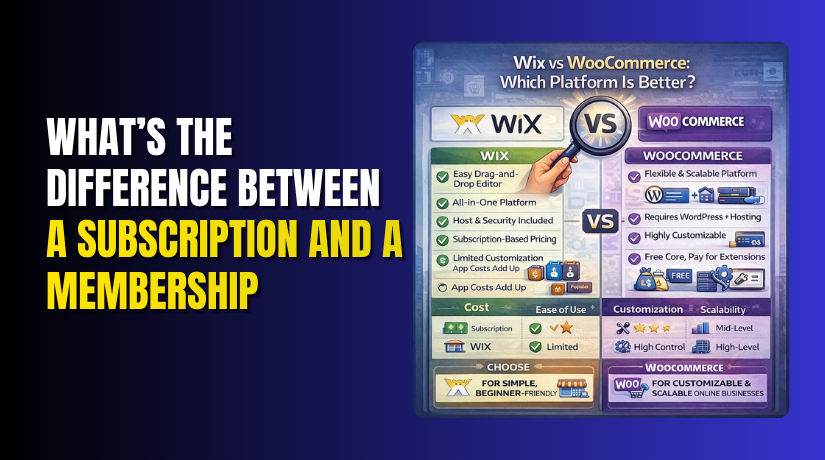
Wix vs WooCommerce: Which Platform Is Better?
Table of Contents
- Introduction
- What Is Wix?
- What Are The Key Features, Pros and Cons of Wix?
- What Is WooCommerce?
- What Are The Key Features, Pros and Cons of WooCommerce?
- Which Is Better, Wix or WooCommerce?
- Final Verdict
Introduction
Choosing the right platform decides how fast your store can grow. Many beginners start with templates and simple drag tools first. Many growing stores later need deeper control and better scaling. That is why Wix vs WooCommerce is a common search today.
Both platforms can run a real online store and accept payments. Both can manage products, orders, shipping, and basic tax settings. But the way they work is very different in practice. One is hosted and managed for you by default. The other is flexible and built on WordPress tools.
This guide will help you choose the best option confidently. We will compare real store needs, not only feature checklists. We will cover setup, cost, control, growth, and daily management. We will also explain where each platform feels easier or harder.
Here is how we will compare WooCommerce vs Wix ecommerce clearly. We focus on what matters for revenue and store stability. We focus on what matters for marketing and long term ownership. We also focus on what matters for support and troubleshooting.
What Is Wix?
Wix is a hosted website builder that includes ecommerce features. It gives you templates, a page editor, and built-in hosting. You can create a store without installing software on a server. Wix also handles updates and core security on their side.
Wix ecommerce is often used by small businesses and solo founders. It is popular for fast launching simple stores and service sites. You can design pages using drag and drop style editing. You can add products and start selling without developer help.
Wix has a separate ecommerce layer, often called Wix Stores. It supports product pages, cart, checkout, and order management. It also supports basic shipping rules and tax settings. Many built in features are available inside the Wix dashboard.
What Are The Key Features, Pros and Cons of Wix?
Key Features:
- Drag And Drop Website Builder For Store Pages
Wix is known for its visual editor and design flexibility. You can build product landing pages without code or developers. You can change layouts fast during promotions or sales campaigns. You can also create seasonal pages for offers and bundles.
- Ecommerce Templates And Store Design Blocks
Wix provides ready ecommerce templates and store layout sections. These templates give product grids, cart pages, and checkout styling. You can pick a design that matches your brand quickly. You can adjust colors and fonts without touching code.
- Ecommerce Templates And Store Design Blocks
Wix provides ready ecommerce templates and store layout sections. These templates give product grids, cart pages, and checkout styling. You can pick a design that matches your brand quickly. You can adjust colors and fonts without touching code.
- Built In Payments And Checkout Experience
Wix supports payment options based on your region and plan. Checkout is integrated into the Wix ecommerce system by default. You can enable payment methods from the Wix settings panel. You can also configure taxes and invoice settings for orders.
- Built In Payments And Checkout Experience
Wix supports payment options based on your region and plan. Checkout is integrated into the Wix ecommerce system by default. You can enable payment methods from the Wix settings panel. You can also configure taxes and invoice settings for orders.
- Tax Settings And Basic Compliance Controls
Wix provides tax settings based on store location and region. You can set tax rules and display preferences in store settings. You can configure invoices and store policies for checkout clarity. This is useful for basic compliance needs for small stores.
- Built In Marketing Tools For Ecommerce Growth
Wix includes marketing features like email campaigns and coupons. It also supports basic SEO controls for store pages and products. You can run discount codes and seasonal promotions easily. You can also integrate simple automation for follow up messages.
- SEO Controls For Store Pages And Product Listings
Wix provides basic SEO tools for titles, descriptions, and URLs. You can edit page meta fields and product SEO details. You can create blog content and link to product pages. You can also manage redirects and indexing settings in many cases.
- App Market For Extra Store Features
Wix offers an app marketplace for extra features and integrations. Apps can add reviews, subscriptions, chat, and marketing tools. This helps you expand store features without custom development. It also keeps the setup beginner friendly for many store owners.
- Hosting, Security, And Maintenance Included
Wix includes hosting, security basics, and platform updates automatically. You do not manage server resources or software updates yourself. This reduces technical workload for new store owners. It also reduces risk from missed updates and weak security.
Pros:
- Fast Setup And Easy Launch
- You can launch a store quickly without technical setup.
- Hosting and core ecommerce tools come ready to use.
- Beginner Friendly Dashboard
- Products, orders, and payments stay in one interface.
- You do not manage WordPress updates or plugin conflicts.
- Simple Design Editing
- The drag and drop editor makes layout changes very easy.
- You can create landing pages without coding skills.
- Maintenance Is Mostly Managed
- Wix handles hosting performance and basic security updates.
- You spend more time selling and less time maintaining.
- Good For Small And Simple Stores
- Works well for small catalogs and basic shipping rules.
- Fits local businesses and service sellers very well.
Cons:
- Limited Deep Customization
- Checkout and advanced ecommerce logic changes are restricted.
- Custom workflows may need apps or workarounds.
- App Dependence Can Increase Cost
- Many advanced features require paid apps and upgrades.
- Total cost can rise as your store grows.
- Less Control Over Hosting And Performance Tuning
- You cannot tune server settings like caching or database.
- Advanced performance optimization options are limited.
- Migration Can Be Hard Later
- Moving away from Wix can require rebuilding your store.
- Vendor lock can feel risky for long term growth plans.
- Advanced Ecommerce Scaling Can Feel Restrictive
- Complex catalogs and custom product rules can be harder.
- WooCommerce often fits better for large scaling stores.
What Is WooCommerce?
WooCommerce is an ecommerce plugin for WordPress websites. It turns a WordPress site into a full online store system. You can sell physical products, digital products, and services. You can also extend it using themes and plugins.
WooCommerce is not a hosted platform like Wix. You choose a hosting provider and install WordPress yourself. Then you install WooCommerce and configure store settings. This gives you more control, but needs more setup steps.
WooCommerce is popular because it is flexible and widely supported. Thousands of themes and plugins are built for WooCommerce stores. Many developers know it and can customize it deeply. Many marketing tools also integrate with WooCommerce easily.


What Are The Key Features, Pros and Cons of WooCommerce?
Key Features:
- Full Store Ownership And Data Control
WooCommerce gives you full control over your store data. Your products, orders, and customers live in your database. You can move hosts without losing your store structure and content.
- Flexible Store Setup And Guided Configuration
WooCommerce setup includes a guided onboarding wizard for basics. You can set currency, shipping, taxes, and store location quickly. You can also skip steps and configure later without breaking the store.
- Powerful Product Management For Any Catalog Size
WooCommerce supports simple, variable, and digital product types. It supports downloadable files and virtual services without shipping. It also supports grouped and bundled products using extensions.
- Advanced Pricing, Coupons, And Discount Rules
WooCommerce includes built-in coupon and discount tools. You can run sales, offers, and cart rules using extensions. This matters for conversion, retention, and repeat purchases.
- Payment Gateway Options And Checkout Flexibility
WooCommerce supports many payment gateways through plugins and tools. You can offer cards, wallets, bank transfers, and local payments. Checkout can be customized heavily with fields, layout, and logic.
- Shipping Zones, Methods, And Carrier Integrations
WooCommerce shipping settings are built around zones and methods. You can create domestic, local, and international shipping zones. You can add carriers, live rates, and label printing using plugins.
- Tax Settings And Compliance Support With Extensions
WooCommerce supports basic tax rates and tax display settings. You can set tax classes and location based tax rules. You can also use tax services for automation through extensions.
- SEO And Content Marketing Advantage Through WordPress
WooCommerce runs inside WordPress, which is content friendly. You can publish blogs, guides, and landing pages for traffic. This can improve rankings and support long tail keywords.
- Huge Extension Ecosystem For Scaling Store Features
WooCommerce has a massive plugin ecosystem for ecommerce needs. You can add subscriptions, memberships, bookings, and wholesale features. You can also add advanced analytics and automation tools.
- Customization Freedom With Themes And Custom Code
WooCommerce can be customized at design and function levels. You can choose themes built for store conversions and speed. You can also extend WooCommerce with custom code if needed.
- Performance And Speed Control Through Hosting Choices
WooCommerce speed depends on hosting quality and optimization choices. You can use caching, CDN, and image optimization tools. You can upgrade hosting when traffic grows without rebuilding platforms.
- Integrations For Email, CRM, Accounting, And Shipping Tools
WooCommerce connects easily with business tools through plugins and APIs. You can connect email marketing tools and automation platforms. You can also connect accounting, inventory, and fulfillment services.
Pros:
- Full Store Ownership And Control
- You own your store data, orders, and customer records.
- You can move hosts without rebuilding the whole store.
- Highly Flexible Ecommerce Features
- You can sell physical, digital, and service products easily.
- You can add subscriptions, bookings, and memberships later.
- Deep Checkout And Pricing Customization
- Checkout fields and flows can be customized with plugins.
- Discounts, coupons, and pricing rules can be very advanced.
- Powerful Shipping Options And Integrations
- Shipping zones, classes, and rules are very flexible.
- You can add live rates, labels, and tracking using carriers.
- Strong SEO And Content Growth With WordPress
- You can publish blogs and guides to drive organic traffic.
- Product pages can be optimized with SEO plugins easily.
- Large Extension Ecosystem
- Many plugins support payments, marketing, and automation.
- You can integrate CRM, email tools, and analytics smoothly.
- Scales With Better Hosting
- You can upgrade hosting as traffic and orders increase.
- Performance tools like caching and CDN can boost speed.
Cons:
- Needs Ongoing Maintenance And Updates
- You must update WooCommerce, themes, and plugins regularly.
- Skipping updates can cause security and compatibility issues.
- Performance Depends On Hosting And Optimization
- Weak hosting can slow checkout and product pages.
- You may need caching and database tuning for best speed.
- Plugin Conflicts Can Happen
- Too many plugins can cause errors and slow performance.
- Some updates can break features without staging testing.
- Setup Can Feel Complex For Beginners
- Shipping, taxes, and payments need careful configuration.
- Beginners may need support for advanced store setups.
- Some Important Features Are Paid
- Many advanced features need paid extensions or tools.
- Costs can rise as you add more store functionality.
Which Is Better, Wix or WooCommerce?
The best platform depends on your store goals and growth plans. Wix vs WooCommerce is not only about features and design. It is also about control, ownership, scaling, and long-term flexibility. Some stores need fast launch and less technical work. Some stores need deeper customization and strong SEO control.
| Comparison Factor | Wix | WooCommerce | Best Choice |
| Setup Speed | Very fast, hosted and ready to use. | Takes longer, needs hosting and setup. | Wix |
| Ease of Use | Beginner friendly, drag and drop editing. | Learning curve, needs WordPress understanding. | Wix |
| Ownership And Control | Platform controlled, limited backend access. | Full control over site, files, and database. | WooCommerce |
| Customization Flexibility | Good design control, limited deep changes. | Deep customization with plugins and code. | WooCommerce |
| Ecommerce Scaling | Good for small and medium stores. | Better for large stores and complex growth. | WooCommerce |
| Product Catalog Size | Works well for smaller catalogs. | Handles small to very large catalogs. | WooCommerce |
| Checkout Customization | Limited compared to advanced needs. | Highly customizable checkout flow. | WooCommerce |
| Shipping Flexibility | Basic shipping rules, advanced needs require apps. | Advanced zones, classes, carriers, live rates. | WooCommerce |
| Payment Gateways | Limited by region and Wix options. | Many gateways via plugins and integrations. | WooCommerce |
| SEO And Blogging | Basic SEO tools, decent for simple stores. | Strong SEO and content marketing via WordPress. | WooCommerce |
| Performance Control | Wix manages performance, less tuning control. | Full performance control with hosting and optimization. | WooCommerce |
| Maintenance And Updates | Managed by Wix, minimal work for the owner. | The owner manages updates, backups, and security. | Wix |
| Apps And Extensions | Apps marketplace can add extra monthly cost. | Huge plugin ecosystem, flexible options. | WooCommerce |
| Pricing Model | Monthly plan includes hosting and core features. | Flexible costs, depends on hosting and plugins. | Depends |
| Long Term Cost | Predictable but can rise with upgrades and apps. | Can be lower or higher based on needs. | Depends |
| Migration Flexibility | Harder to migrate without rebuilding. | Easier to migrate hosts and keep stores. | WooCommerce |
| Best For | Beginners, quick launch, simple ecommerce needs. | Growth focused stores needing full control. | Depends |
Final Verdict
Wix is a strong choice if you want speed and simplicity first. It is best for beginners who want less technical work daily. Hosting, updates, and core store tools are handled inside one system. It works well for small catalogs and straightforward shipping needs. If your goal is launching fast with minimal setup stress, Wix fits.
WooCommerce is a better choice if you want control and long term growth. It is ideal for stores needing advanced features and flexibility. You can customize checkout, shipping, payments, and pricing more deeply. You also get stronger SEO and content marketing power through WordPress. If you plan to scale traffic and features, WooCommerce fits better.
So in Wix vs WooCommerce, the best platform depends on your store roadmap. Choose Wix when you want quick launch and simple ecommerce management. Choose WooCommerce when you want ownership, customization, and scaling freedom. If you care about long term SEO, deep integrations, and full control, WooCommerce usually wins for serious ecommerce.
Have questions before starting with WooCommerce & WordPress? Get support here at WooHelpDesk.



