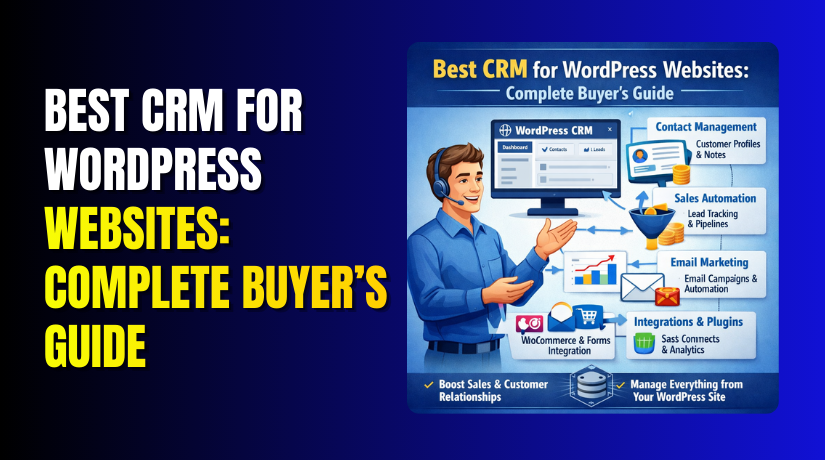
Best CRM for WordPress Websites: Complete Buyer’s Guide
Table of Contents
- Introduction
- What Are CRM for WordPress Websites?
- Benefits of Using a CRM on a WordPress Website
- Types of CRMs You Can Use With WordPress Websites
- Must-Have Features in the Best CRM for WordPress Websites
- List Of 9 Best CRM for WordPress Websites (Top Picks As Of Today)
- How to Choose the Right CRM for Your WordPress Website
- Conclusion
Introduction
A WordPress website can get leads every single day. But leads can still get missed easily. Many site owners reply late or forget follow-ups. Some store data in spreadsheets or inbox folders. That creates confusion and lost sales. A CRM fixes this problem in a simple way. It keeps your contacts, notes, and follow-ups in one place. That is why choosing the Best CRM for WordPress is important. It helps you respond faster and close more leads.
It also helps you stay organized as your website grows. If you run services, a store, or an agency, this matters more. A good WordPress CRM also helps your team work together better. You can assign leads and track progress in real time. This guide helps you pick the right CRM for WordPress websites. It also explains how CRM tools work with WordPress. You will learn what to look for before you choose one.
What Are CRM for WordPress Websites?
A CRM is a system that manages your customer relationships. It stores every lead and customer in a clean database. It also saves messages, calls, notes, and activity history. When you use a WordPress CRM plugin, this system connects to your site. It can capture leads from forms and popups automatically. It can also track customers from WooCommerce orders. You can tag contacts based on interest and behavior. You can also create tasks for follow-ups and callbacks.
This makes your daily work faster and more planned. A WordPress CRM can run inside your dashboard or outside it. Some tools are cloud-based CRMs with WordPress integration. Others are a Best WordPress CRM plugin that runs fully in WordPress. Both options can work well for many businesses. The best choice depends on your needs and budget.
Benefits of Using a CRM on a WordPress Website
A CRM turns random leads into a clear follow-up process. It keeps your work organized even during busy weeks. A strong CRM for WordPress websites also improves customer trust. It helps you respond faster and sound more professional always.
Faster Replies That Help You Win More Leads
Most leads choose the first helpful reply they receive. A WordPress CRM shows new leads the moment they arrive. It can assign leads to the right team member. It also creates follow-up tasks so nothing gets missed. This is why the Best CRM for WordPress matters daily.
Cleaner Customer Data With Less Confusion and Errors
Many websites store contacts in inbox threads and spreadsheets. That makes search, notes, and history hard to manage. A WordPress CRM plugin keeps contacts, notes, and timelines together. You can quickly see what a customer asked earlier. You also avoid duplicate contacts and messy records often.
Better Follow-Ups With Tasks, Reminders, and Deal Stages
Follow-ups fail when there is no clear next step. A CRM lets you set tasks and reminder dates easily. It also supports deal stages like New, Contacted, and Won. This workflow fits every service business and agency team. A WordPress CRM makes sales tracking simple and visible.
Easy Automation That Saves Time and Keeps Leads Warm
Manual emails waste time and cause delays for leads. A CRM can send instant replies after form submissions. It can also send follow-up emails after one or two days. Some tools add tags based on user choices in forms. This is where a Best WordPress CRM plugin feels powerful.
Better Reporting That Shows What Works and What Fails
Without reports, you guess what brings leads and sales. A CRM tracks lead sources, deal value, and close rates. It shows which campaigns bring better quality contacts. It also highlights slow response times that hurt conversions. The Best CRM for WordPress makes these insights easy.
Stronger Retention for WooCommerce and Repeat Customers
WooCommerce stores need repeat sales to grow steadily over time. A CRM can tag buyers based on products and value. You can send targeted emails for repeat orders and offers. You can also spot VIP customers and support them faster. A WordPress CRM plugin helps turn buyers into loyal customers.
Types of CRMs You Can Use With WordPress Websites
Not every CRM works the same way for every site. Your best choice depends on control, scale, and daily workflow. Some tools run inside WordPress, while others run outside. Each type can still be a great WordPress CRM choice.
WordPress-Native CRM That Run Inside Your Dashboard
These CRMs live inside your WordPress admin area directly. You manage contacts without leaving your website dashboard screen. Many users like the simple setup and direct control. A WordPress CRM plugin also feels familiar for beginners. This option suits small teams and service websites well.
Cloud CRMs With WordPress Integrations for Bigger Teams
Cloud CRMs run on their own platform outside WordPress. They connect using plugins, forms, or simple automation tools. These tools often offer stronger pipelines and reporting features. They also handle large contact lists more smoothly over time. This type fits growing teams needing advanced options fast.
WooCommerce-Focused CRM Setups for Store Owners and Sellers
Some CRMs focus on sales and customer life cycle tracking. They work best when WooCommerce order data syncs correctly. You can track buyers, refunds, repeat orders, and value history. This helps you plan better offers and smarter follow-ups. It is ideal for stores with steady order volume.
CRM Plus Marketing Automation Platforms for Lead Nurture Work
Some platforms combine CRM and email automation in one system. They support forms, tags, sequences, and lead scoring too. This helps when your sales cycle takes many follow-ups. It also helps when you sell high-value services or packages. Many call this the Best CRM for WordPress setup.
Must-Have Features in the Best CRM for WordPress Websites
A CRM should match your WordPress workflow and daily needs. The best tool feels simple, fast, and reliable every day. The Best CRM for WordPress should also reduce manual work. It must help you capture leads and follow up fast. It must keep your data clean and easy to use. This section explains the key features to check before buying.
Lead Capture and Form Integrations That Work Without Errors
Your CRM must connect with your WordPress lead forms easily. It should support WPForms, Contact Form 7, and Gravity Forms. It should also work with Elementor Forms for modern sites. A solid WordPress CRM plugin should map form fields correctly. It should capture name, email, phone, and service choice. It should also store consent fields when you use checkboxes. Look for native integrations when possible for better stability. If native options are missing, webhooks are the next best option. Make sure leads flow into the CRM in real time. Also test spam handling before you push it live.
Contact Management That Keeps Data Clean and Easy to Search
A CRM is only helpful when data stays organized. It must support tags, lists, and segments for contacts. It should also support custom fields for your business needs. For example, you may track budget, website URL, or city. A good WordPress CRM should prevent messy duplicates. It should offer merge tools for repeated contact entries. It should also show a clear contact timeline and activity log. You should be able to find any contact in seconds. This is a key sign of a Best WordPress CRM plugin choice.
Sales Pipeline and Task Workflow That Supports Real Follow-Ups
Many businesses need deal stages to track lead progress. Your CRM should include pipelines with editable stages. It should support stages like New, Contacted, Proposal, and Won. It should also allow tasks and reminders for each deal. This prevents missed follow-ups during busy work hours. A strong CRM for WordPress websites should support lead assignment too. You should assign leads by form type or service interest. It should also log calls, notes, and meeting updates clearly. This feature helps teams stay aligned and accountable daily.
Automation Features That Save Time and Keep Leads Warm
Automation is where CRM tools deliver real value. Your CRM should send instant replies after lead capture. It should also send follow-up sequences based on time delays. It should support tagging when users select form options. For example, “SEO Help” or “WooCommerce Support” tags. It should also trigger tasks for your sales team instantly. A modern WordPress CRM plugin should support internal notifications too. These alerts help you reply fast and win more leads. If you need advanced workflows, check for lead scoring options. Keep automation simple at first, then expand later.
Reporting and Tracking to Measure Leads, Deals, and Results
You cannot improve what you cannot measure properly. The CRM should show lead source and conversion tracking. It should show deals created, deals won, and total value. It should also show response time and activity history. A good WordPress CRM should offer simple dashboards for beginners. It should also support deeper reports for growing teams. If you run WooCommerce, check revenue reporting options too. The Best CRM for WordPress should help you see what works fast. It should also help you spot gaps in your process quickly.
Security and Compliance Basics That Protect Your Business
Customer data needs protection and controlled access. Your CRM should support user roles and permission levels. It should also support audit logs for important actions. This helps when multiple staff members manage leads daily. It should support data export and delete options too. These tools help with privacy requests and safer data handling. A reliable CRM for WordPress websites must use secure connections. It should also allow strong passwords and optional two-step login. If it is a WordPress CRM plugin, keep it updated always. Security is a feature you should never ignore here.
List Of 9 Best CRM for WordPress Websites (Top Picks As Of Today)
Below are top options for a WordPress CRM setup. Each pick fits a different website and workflow. Use this list to find your best match fast.
#1 HubSpot CRM
HubSpot is a popular CRM that feels simple and modern. It works great for lead capture and follow-ups. It also connects well with common WordPress forms. The dashboard is clean and easy for beginners. It suits teams that want sales and marketing together.
Features
- Contact management with activity history, notes, and quick search
- Deal pipelines with stages, tasks, reminders, and ownership
- Email tracking with templates, meeting links, and basic automation
- Form and landing page tools for lead capture and conversion
- Reporting dashboards for deals, contacts, and conversion performance
Pros
- Easy setup for most CRM for WordPress websites
- Clean interface that teams learn very quickly
- Strong email tracking and contact timeline features
- Good integrations with many popular marketing tools
- Scales well as your lead volume increases
Cons
- Advanced automation needs higher paid plans
- Some features require extra hubs and add-ons
- Custom reports can feel limited on lower plans
- Can get costly as seats and needs increase
- WordPress setup may need extra connector tools
Best For: Service businesses and agencies needing a clean all-in-one system.
#2 Zoho CRM
Zoho CRM is flexible and fits many business types. It offers strong customization for fields and pipelines. It supports automation, scoring, and workflow rules too. It works well for teams that want more control. It is a strong choice when you need deep setup options.
Features
- Custom fields, layouts, modules, and flexible contact records
- Pipeline stages with rules, tasks, and deal tracking
- Workflow automation with triggers, alerts, and routing
- Email and calling tools for lead follow-ups
- Reports and dashboards with filters and custom views
Pros
- Great customization for a tailored WordPress CRM workflow
- Strong automation tools for routine lead tasks
- Good value for teams with many users
- Handles complex sales processes better than basic CRMs
- Works well with many business apps and services
Cons


- Setup can feel heavy for first-time users
- Interface can feel busy for small teams
- Some features need extra time to configure right
- Support quality can vary by plan level
- WordPress integration may need third-party connectors
Best For: Growing teams needing customization and strong process control.
#3 Pipedrive
Pipedrive is built for sales pipelines and daily follow-ups. It keeps deals simple and visible in one view. It is easy to move deals across stages. It works well for teams who sell services. It is great when you want speed and clarity daily.
Features
- Visual pipeline board with drag-and-drop deal stages
- Activity reminders for calls, tasks, and meeting scheduling
- Email sync and templates for consistent follow-ups
- Lead inbox for new leads and quick qualification
- Reports for deals, win rates, and activity tracking
Pros
- Very simple pipeline workflow for most website leads
- Easy to train teams and track daily activities
- Great focus on follow-ups and deal movement
- Clean reporting for sales performance and forecasting
- Works well with many form and automation tools
Cons
- Marketing automation is limited compared to other tools
- Email campaigns are not its main strength
- Some key features require higher plan tiers
- WordPress setup often needs webhooks or connectors
- Not ideal for content-heavy email nurture systems
Best For: Sales-focused teams that live inside pipeline stages daily.
#4 Freshsales (Freshworks CRM)
Freshsales offers sales tools with a friendly interface. It includes pipelines, email tools, and automation options. It can also support calling and tracking activities. It fits teams that want a balanced CRM experience. It works well for service teams and support-led sales too.
Features
- Deal pipelines with tasks, reminders, and ownership rules
- Email sync, templates, and tracking for follow-ups
- Lead scoring to focus on high intent leads
- Built-in calling options on supported plans
- Reports for sales activity, pipelines, and outcomes
Pros
- Good balance for sales and follow-up workflows
- Lead scoring helps teams focus on better leads
- Clean UI that feels easier than many CRMs
- Useful activity tracking for calls and emails
- Strong option for service businesses with steady leads
Cons
- Some features need higher plans to unlock
- Email automation may feel limited for advanced users
- Add-ons can increase monthly cost quickly
- WordPress form syncing may need third-party tools
- Reports can feel basic for complex requirements
Best For: Teams wanting sales tools with built-in communication features.
#5 ActiveCampaign (CRM + Automation)
ActiveCampaign is strong for email automation and lead nurturing. It includes a CRM layer for deals and pipelines. It is best when you rely on email sequences. It fits long sales cycles and repeat follow-ups. It is great for teams that sell through email workflows.
Features
- Email automation with triggers, tags, and timed sequences
- Deal pipelines linked to automations and lead actions
- Lead scoring based on clicks, visits, and replies
- Segmentation using tags, lists, and custom fields
- Integration options using forms, webhooks, and connectors
Pros
- Very strong automation for lead nurture and follow-ups
- Great tagging and segmentation for targeted messaging
- Useful for WooCommerce lifecycle email and retention flows
- Helps build a scalable CRM for WordPress websites setup
- Good deliverability tools for email performance tracking
Cons
- CRM features are simpler than sales-first platforms
- Setup takes time for clean automations and tagging
- Can feel complex for beginners without a guide
- Cost rises with contacts and advanced features
- Needs careful setup to avoid automation mistakes
Best For: Businesses needing strong automation plus a simple CRM.
#6 FluentCRM (WordPress-Native)
FluentCRM is a popular WordPress CRM plugin built for WordPress. It runs inside your WordPress dashboard directly. It is great for owning your data fully. It supports tagging, lists, and automation for emails. It fits site owners who want control and simple workflows.
Features
- Contact lists, tags, segments, and custom fields
- Email campaigns and automation sequences inside WordPress
- Form integrations with popular WordPress form plugins
- WooCommerce and membership tagging on supported add-ons
- Dashboard reports for campaigns, opens, and contact growth
Pros
- Runs inside WordPress as a true WordPress CRM
- Great control over contacts and customer data
- Strong automation without leaving the WordPress dashboard
- Works well for email nurture and repeat buyers
- Often cheaper than many cloud CRM options
Cons
- Email sending needs a proper SMTP or email service
- Site performance needs monitoring on large contact lists
- Advanced features may need paid add-ons
- Requires good hosting for heavy email workloads
- Not as strong for complex sales forecasting reports
Best For: WordPress users who want an all-in-one plugin CRM.
#7 Jetpack CRM (WordPress-Native)
Jetpack CRM is a lightweight CRM for small businesses. It runs inside WordPress and keeps things simple. It tracks contacts, invoices, and basic customer details. It works well for service businesses and freelancers. It is a good starter Best WordPress CRM plugin option.
Features
- Contact profiles with notes, history, and quick search
- Basic funnels and contact status tracking
- Quotes and invoices for service billing workflows
- Extensions for forms and payment features
- Client portal options on supported setups
Pros
- Simple setup for a basic WordPress CRM plugin
- Lightweight feel compared to many big platforms
- Useful invoicing features for service-based businesses
- Good for freelancers and small teams starting out
- Easy to manage contacts without leaving WordPress
Cons
- Automation features are limited versus advanced tools
- Reporting is basic for deep sales tracking needs
- Many features require paid extensions to work well
- Not ideal for large teams and complex pipelines
- Integrations may need extra setup and connectors
Best For: Small businesses wanting simple CRM inside WordPress.
#8 Groundhogg (WordPress-based CRM + Funnels)
Groundhogg combines CRM and automation inside WordPress. It focuses on funnels, emails, and tagging. It is good for lead capture and nurture campaigns. It works well for coaches, services, and digital products. It is a strong CRM for WordPress websites option for funnels.
Features
- Automation funnels with steps, delays, and tag triggers
- Email broadcasts and sequences inside WordPress
- Form and checkout integrations on supported tools
- Contact profiles with activity history and custom fields
- Reporting for funnel performance and email engagement
Pros
- Strong automation for follow-ups and marketing funnels
- WordPress-first control for contacts and lead data
- Good tagging and segmentation for targeted campaigns
- Useful for service businesses and digital product sellers
- Can replace multiple tools in one WordPress system
Cons
- Requires careful setup to avoid funnel mistakes
- Email sending needs proper setup for good delivery
- Hosting quality matters for stable performance
- Some features rely on paid extensions and add-ons
- Learning curve exists for funnel building workflows
Best For: Funnel-based marketing with WordPress-first automation needs.
#9 WP ERP CRM (WordPress CRM Module)
WP ERP includes a CRM module inside a bigger ERP suite. It supports contacts, lead notes, and basic pipelines. It can also connect with HR and accounting modules. It fits businesses wanting one plugin suite for operations. It is a practical WordPress CRM choice for internal workflows.
Features
- Contact management with notes, activities, and custom fields
- Lead capture tools and basic pipeline tracking
- Email communication logging and contact history tracking
- Role management for team access and permissions
- Optional ERP modules for HR and accounting needs
Pros
- One suite can manage CRM and other business modules
- Runs inside WordPress as a unified admin system
- Good for teams wanting internal records and tracking
- Useful roles and permission controls for staff
- Fits businesses that prefer plugin-based workflows
Cons
- CRM features can feel basic for sales-heavy teams
- Some tools need paid extensions for better value
- UI may feel less modern than cloud CRMs
- Setup can take time across multiple modules
- Not ideal for advanced automation-heavy marketing needs
Best For: Businesses wanting CRM plus ERP-style modules inside WordPress.
How to Choose the Right CRM for Your WordPress Website
Choosing the Best CRM for WordPress is about fit. You need the right tool for your exact workflow. Use the steps below to avoid wrong purchases.
Start With Your Main Goal and Your Website Sales Process
- Lead handling and quick replies for service websites
- Deal tracking and pipelines for sales teams and agencies
- Repeat sales and retention for WooCommerce stores
- Email nurture and follow-ups for long sales cycles
Confirm Your WordPress Integrations Before You Decide
- Your form plugin must sync without breaking field mapping
- WooCommerce sync matters if you sell products online
- Booking tools need clean contact and event tracking
- Webhooks help when native plugins are not available
Decide If You Want a Plugin CRM or a Cloud CRM
A WordPress CRM plugin runs inside your dashboard. It gives control and simple access. A cloud CRM often scales better for bigger teams. It can also offer stronger reports and deeper pipelines. Choose based on your team size and daily habits.
Compare Pricing the Right Way So Costs Do Not Surprise
- Check contact limits and automation limits per plan
- Check user seats and role permissions for your team
- Check add-ons needed for forms, WooCommerce, and email
- Check support level and onboarding options on each plan
Choose Based on Ease of Use and Daily Speed
A CRM should feel easy within your first week. It should not slow your team with complex clicks. A good WordPress CRM should be quick to search. It should also make follow-ups simple with reminders.
When Expert Setup Help Saves You Time and Money
If you want clean tagging, you need a real plan. If you want automation, setup quality matters even more. If you run WooCommerce, lifecycle flows need careful mapping.
Conclusion
Picking the Best CRM for WordPress depends on your goals. If you want full control, choose a WordPress CRM plugin. If you want scale, choose a cloud WordPress CRM platform. Always confirm form sync, tagging, and follow-up workflows first. Also check contact limits and automation rules before paying. If you want a fast, clean setup without stress, WooHelpDesk can help. We can connect forms, map fields, set tags, and build automations. We can also keep your WordPress site fast and stable. Reach out to WooHelpDesk for a CRM setup that works.



