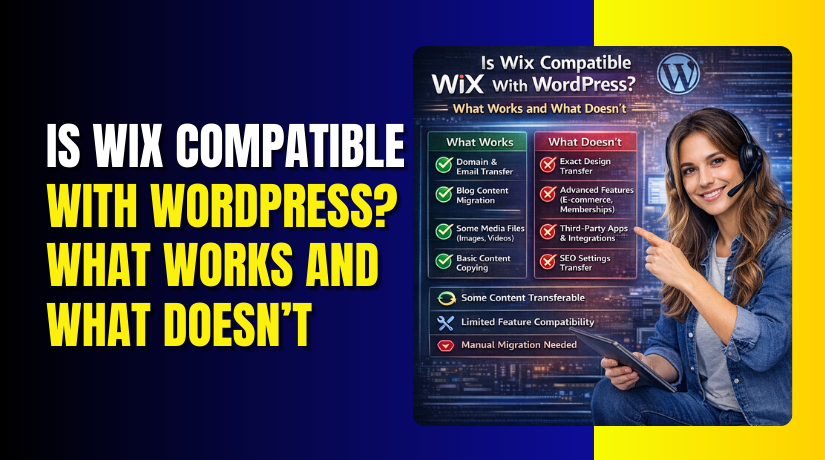
Is Wix Compatible With WordPress? What Works and What Doesn’t
Table of Contents
- Introduction
- Wix vs WordPress: Why Compatibility Is Limited by Design
- What Works: 6 Practical Ways to Connect Wix and WordPress
- What Doesn’t Work: Common Integration Myths to Avoid
- Best Use Cases: When It’s Smart to Use Both Platforms
- SEO, Tracking, and Analytics: What to Watch in a Split Setup
- Conclusion
- FAQs
Introduction
Many site owners ask, is wix compatible with WordPress for real projects. The short answer is yes, but only in limited ways. Wix and WordPress are separate platforms with separate systems. You cannot fully merge them into one shared website backend. Still, Wix and WordPress compatibility can work for practical goals. Most people really mean linking, embedding, or sharing one domain name. In that sense, do Wix and WordPress work together sometimes, but not perfectly.
Here is what usually works when you try to connect them:
- You can point a Wix domain to WordPress hosting using DNS.
- You can run WordPress on a subdomain while Wix stays live.
- You can link menus between both sites for smooth navigation.
- You can embed limited Wix elements on WordPress pages.
- You can redirect users from Wix pages to WordPress pages.
So yes, can Wix work with WordPress in a split setup. You just need clear limits before you start.
Wix vs WordPress: Why Compatibility Is Limited by Design
They are built on different foundations
Wix is a hosted platform with a closed core system. Wix controls the hosting layer and many site features. WordPress is an open CMS you can host anywhere. You control themes, plugins, settings, and custom code. That is why can you integrate Wix with WordPress is not simple. You can connect parts, but not the full engine. Wix cannot run WordPress plugins or WordPress themes. WordPress also cannot “install” the Wix builder inside its dashboard.
For many USA business sites, this impacts growth and flexibility. WordPress usually gives more control for SEO and content. Wix usually helps you launch fast with fewer technical steps.
What “working together” can realistically look like
In real life, “together” means two sites that feel like one. You can connect Wix to WordPress by planning a clean structure. One common setup keeps Wix as the main website. Then WordPress runs the blog on a subdomain. Another setup uses WordPress as the main site. Then Wix runs a small campaign or landing section.
These are the most realistic ways to use Wix with WordPress:
- Wix for design-led pages, WordPress for blogging and guides.
- WordPress for core pages, Wix for quick marketing launches.
- Both platforms linked using consistent branding and navigation.
This approach is often called Wix WordPress integration, but it is not a full merge. It is a connected experience with two dashboards.
What Works: 6 Practical Ways to Connect Wix and WordPress
If you want a mixed setup, focus on simple, proven methods. Most users asking can Wix work with WordPress want one of these six options. Each option solves a different business need. Choose the one that matches your goal and skills. This is the safest way to handle Wix and WordPress compatibility without breaking SEO.
Option 1: Use a Wix domain with a WordPress site (DNS pointing)
This option is best when you bought the domain on Wix. You can keep the domain there, but host the site on WordPress. This means your visitors still type the same domain name. Behind the scenes, DNS sends them to your WordPress hosting.
This setup is useful when you want WordPress features fast. It also helps if you already paid Wix for the domain. Many people use this method to connect Wix to WordPress without changing branding.
What usually happens in this option:
- Your domain stays managed inside your Wix account.
- Your website files and pages run on WordPress hosting.
- You update DNS records to point to the WordPress host.
- Email settings may need careful handling during changes.
This method is clean when done correctly. It does not “merge” platforms, though. It simply uses Wix as the domain manager and WordPress as the site platform. That is a practical form of Wix WordPress integration.
Option 2: Run Wix on one URL and WordPress on a subdomain
This is one of the most common “two-platform” setups. You keep your main website on Wix and run WordPress on a subdomain. A subdomain looks like blog.yoursite.com or help.yoursite.com. This is ideal when your Wix site looks great already. You only want WordPress for blogging, SEO content, or guides.
This option works well when people ask, do Wx and WordPress work together for content. Yes, they can, if each has a clear job.
Best uses for this setup:
- Wix handles the homepage and main service pages.
- WordPress runs the blog and long SEO articles.
- Your blog grows traffic while Wix stays unchanged.
Key tips for a clean setup:
- Match the header style and colors across both sites.
- Add clear menu links between Wix and the WordPress subdomain.
- Use the same logo and brand voice on both platforms.
This approach helps you use Wix with WordPress without stress. You still manage two dashboards, so plan your workflow.
Option 3: Use WordPress as the main site and Wix as a microsite
This is the reverse of Option 2. Your main website runs on WordPress. Then Wix runs a small microsite for a single purpose. A microsite can be a campaign, event, or promo landing hub. It might live on promo.yoursite.com or offers.yoursite.com.
This option is smart when WordPress is your long-term base. Wix becomes a fast design tool for quick launches. Many marketing teams prefer this because Wix is simple for landing pages.
This setup is a practical answer to can you integrate Wix with WordPress. You are not merging platforms. You are connecting them with a clear site structure.
When this option makes sense:
- You want WordPress for SEO, blogging, and full control.
- You want Wix for short-term campaigns and fast edits.
- You want non-technical staff to update promo pages easily.
To reduce confusion, keep the microsite focused. Avoid spreading core pages across both systems.
Option 4: Embed Wix elements into WordPress (limited but useful)
Some Wix content can be embedded into WordPress pages. This can include simple widgets or public elements. The success depends on what Wix allows to share. Some features embed cleanly, but others do not.
This option can help when you want one specific Wix feature. For example, a form style your team already uses in Wix. Or a gallery layout built in Wix. In that case, can Wix work with WordPress becomes a widget question, not a full site question.
Common examples where embedding may work:
- A basic contact form or inquiry form.
- A simple gallery or section designed for sharing.
- A booking widget, if Wix provides an embed option.
Important limits to understand:
- Not every Wix app supports clean embeds.
- Some embeds may load slowly and affect page speed.
- Styling can look different inside WordPress themes.
So yes, you can sometimes connect Wix to WordPress with embeds. But treat it as a small add-on, not a core strategy.
Option 5: Link between platforms with consistent navigation and branding
Linking is the simplest form of Wix WordPress integration. It is also the easiest to maintain. You keep Wix and WordPress separate. Then you connect them through clear links and consistent design.
This is useful if you do not want DNS changes. It is also helpful during a slow migration. You can keep your current site live while building the new one.
To make linking feel seamless, focus on these areas:
- Put the blog link in the main menu on Wix.
- Put a “Home” or “Main Site” link in WordPress navigation.
- Match fonts, colors, and button styles as closely as possible.
- Use the same footer details, like email and phone.
This is how do Wix and WordPress work together for many brands. It is not technical integration. It is user experience integration.
Option 6: Redirect strategy (send users from one platform to the other)
Redirects help when you want to move pages over time. You might start on Wix and shift important pages to WordPress. Or you might move a blog from Wix to WordPress. Redirects send visitors and search engines to the new page location.
This option is very useful during platform changes. It protects your traffic when done correctly. It also reduces broken links and 404 errors.
Redirects help you use Wix with WordPress during a transition. They also support Wix and WordPress compatibility by keeping paths clean.
Where redirects usually help most:
- You moved a Wix page to a WordPress page.
- You changed URL structure during redesign.
- You want old blog links to open the new WordPress blog.
Good redirect habits to follow:
- Redirect old URLs to the closest matching new page.
- Avoid redirecting everything to the homepage.
- Keep a list of old and new URLs for tracking.
This method works best with a planned migration map. It is a smart way to answer can you integrate Wix with WordPress without rebuilding everything at once.
What Doesn’t Work: Common Integration Myths to Avoid
Many people search is Wix compatible with WordPress and expect a full merge. That expectation creates problems from day one. Wix and WordPress can connect in limited ways, but some things simply will not work. Knowing these limits saves time, money, and SEO headaches. If you want strong Wix and WordPress compatibility, avoid these common myths.
You can’t install WordPress “inside” Wix
Wix is a closed hosted platform with its own builder. WordPress is a separate CMS that needs its own hosting space. Because of that, you cannot install WordPress on Wix hosting. You also cannot add WordPress themes or plugins to Wix. This is the biggest reason can Wix work with WordPress has limits.
What this means in real life:


- You cannot run WooCommerce inside a Wix site.
- You cannot add WordPress plugins to Wix pages.
- You cannot edit Wix pages using the WordPress editor.
So, if someone asks can you integrate Wix with WordPress like an app, the answer is no. You can connect by domain, subdomain, links, or embeds only.
You can’t combine dashboards or manage content in one place
Even if you connect both platforms, you still manage two systems. Wix has its own admin panel and site settings. WordPress has its own dashboard, plugins, and media library. So, do wix and WordPress work together under one login? No, they do not.
This causes workflow issues if you do not plan ahead:
- Your team may forget which platform hosts which page.
- Updates happen in two places, not one control center.
- Support, backups, and security are handled differently.
If your goal is “one dashboard for everything,” integration will disappoint. In that case, a full move to one platform is often better.
You can’t share the same shopping cart or user accounts cleanly
This is a big pain point for ecommerce sites. Wix Stores and WooCommerce are separate systems. They do not share product catalogs by default. They also do not share carts, checkout sessions, or user accounts. So, use wix with WordPress for ecommerce only if roles are separated.
Here is what you cannot expect in a mixed setup:
- A single cart that works across both platforms.
- One customer login that works on both sites.
- Automatic product sync between Wix and WooCommerce.
You might find third-party workarounds, but they are not smooth. They can also break often after updates. If ecommerce is your main focus, a single platform setup is safer.
You can’t keep everything under one exact URL path easily
Many users want a structure like this: example.com/blog on WordPress. They also want the rest of the site on Wix. This is hard because Wix controls the main domain paths. WordPress needs its own hosting and routing rules. That is why connect Wix to WordPress usually works better with subdomains.
For most brands, these setups are realistic:
- com on Wix, blog.example.com on WordPress.
- com on WordPress, promo.example.com on Wix.
But trying to split one domain path between platforms is messy. It can cause routing conflicts, broken links, and tracking gaps. It can also confuse search engines if URLs shift often.
Best Use Cases: When It’s Smart to Use Both Platforms
Now that limits are clear, let’s talk about smart situations. Yes, Wix WordPress integration can make sense when each platform has a clear job. The key is to avoid overlap and keep the structure simple.
Using both platforms can be smart when:
- Your Wix site looks great and is already live.
- You want WordPress for blogging and SEO content growth.
- Your team needs quick landing pages with easy edits.
- You are migrating slowly and want less downtime.
- You want a temporary setup while planning a full rebuild.
In these cases, can Wix work with WordPress becomes a strategy choice. You use Wix for design speed and WordPress for content power. This is also how do Wix and WordPress work together for many USA small businesses.
SEO, Tracking, and Analytics: What to Watch in a Split Setup
A split setup can rank and convert well, if managed right. But you must protect SEO signals and tracking accuracy. Without a plan, Wix and WordPress compatibility can create thin content and messy user paths.
SEO consistency issues to avoid
Search engines like clear structure and consistent signals. Two platforms can still be fine, but avoid duplicate pages. Also avoid having the same content on both systems. Keep one “main version” of every topic and page.
Best practices to keep SEO clean:
- Use one primary blog location, not two blogs.
- Avoid copying the same service page across platforms.
- Keep page titles and meta descriptions unique everywhere.
- Use a clear internal linking structure between both sites.
If you plan this well, is Wix compatible with WordPress becomes less risky. Your SEO can still grow steadily in the USA market.
Tracking setup issues to plan for
Tracking breaks easily when users jump between platforms. This can affect leads, sales, and ad reports. If you use Wix with WordPress, set up analytics carefully.
What you should focus on:
- Use GA4 on both platforms with the same property.
- Track key actions, like forms, calls, and purchases.
- Use UTM tags for links between Wix and WordPress pages.
- Confirm cross-domain tracking if your setup needs it.
This helps prove whether can you integrate Wix with WordPress is working for results. Without tracking, you are guessing.
User experience signals that impact performance
User experience affects conversions and even SEO indirectly. If the two sites feel different, users may leave quickly. Keep design and navigation consistent across both systems.
Keep these items aligned:
- Similar header and menu layout across both sites.
- Matching colors, fonts, and button styles.
- Mobile-friendly layout and fast page loading.
- Clear labels so users know where they are.
When you manage these details, connect Wix to WordPress feels smooth. That is the best way to make a split setup successful.
Safer Alternative: When to Migrate Instead of Integrate
A split setup can work, but it is not always worth it. If you keep fighting limits, migration becomes the smarter option. This is common when people test Wix and WordPress compatibility and feel stuck. Integration works best for simple needs and clear roles. Migration works best when you want one strong platform long term.
You should consider migrating when these problems appear:
- You want one dashboard for pages, blog, and SEO control.
- You need one checkout flow and one customer account system.
- You want clean URLs without subdomains and routing issues.
- You want stronger site speed control and advanced plugin tools.
- You keep asking do Wix and WordPress work together as one system.
If your site is growing fast, simplicity becomes valuable. In that case, moving to WordPress often reduces long-term work.
Conclusion
So, is Wix compatible with WordPress in real projects? Yes, in limited and practical ways. You can connect domains, use subdomains, link sites, and embed some elements. You can also plan redirects during a slow move. But you cannot fully merge Wix and WordPress into one system. If you need one platform for SEO, content, and growth, WordPress is usually the cleaner choice.
Need help choosing the best structure for your site? WooHelpDesk can help you plan a clean setup, fix SEO issues, and avoid messy routing. Reach out to WooHelpDesk if you want a smooth path forward.
FAQs
1) Can I use a Wix domain name with WordPress hosting?
Yes, you can do this using DNS settings. Your domain can stay inside Wix, while WordPress hosts the website. This is a common way to connect Wix to WordPress without buying a new domain. You may need to update A records or name servers. Also review email records, so mail keeps working.
2) Can I run WordPress on a subdomain while keeping Wix live?
Yes, this is one of the best mixed setups. Wix can run the main site, while WordPress runs blog.yoursite.com. It answers can Wix work with WordPress in a practical way. It also keeps both systems separated and easier to manage. Use consistent branding and clear menus for users.
3) Can I embed Wix forms or galleries into WordPress pages?
Sometimes, yes, but it depends on the Wix feature. If Wix provides an embed option, you can place it in WordPress. This can be part of Wix WordPress integration for simple elements. Still, some embeds load slowly or look different. Always test on mobile and check page speed.
4) Will using both platforms hurt SEO in the market?
It can hurt SEO if structure is messy or content is duplicated. It can also confuse search engines if URLs shift often. If you plan well, SEO can still grow. Keep one main blog location and avoid copy-paste pages. A clean plan improves Wix and WordPress compatibility for SEO.
5) Can Wix and WooCommerce share products or checkout?
Not in a clean, native way. Wix Stores and WooCommerce are separate ecommerce systems. They do not share carts, users, or product catalogs by default. That is why can you integrate Wix with WordPress for ecommerce is limited. For serious ecommerce, using one platform is usually best.
6) What is the easiest way to switch from Wix to WordPress?
The easiest method is a planned migration with redirects. Move core pages first, then move blog content next. Keep URL mapping ready before switching live. This prevents traffic loss and broken links. If you used Wix for years, plan the structure carefully before moving. This reduces pain and protects your SEO.



