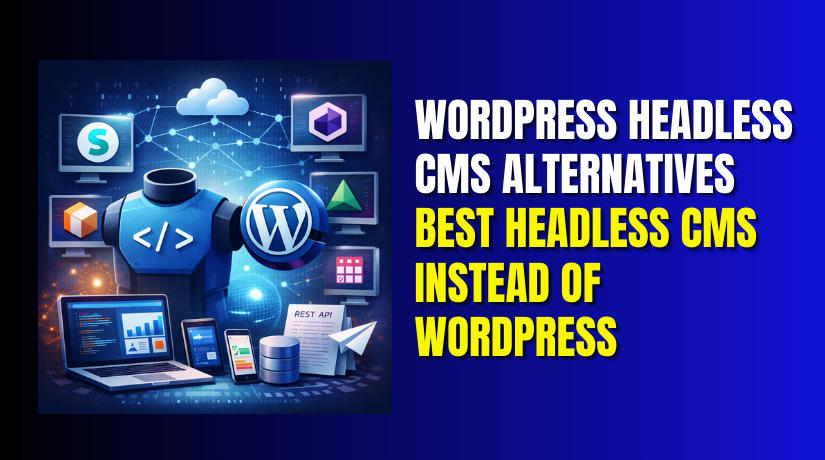
WordPress Headless CMS Alternatives: Best Headless CMS Instead of WordPress
Table of Contents
- WordPress and The Shift Toward Headless Content
- What Is a Headless CMS and How It Works
- Key Benefits of Using a Headless CMS
- What to Look for in A Headless CMS
- Why People Look for Alternatives to WordPress Headless Setup
- Quick Feature Comparison with WordPress Headless
- How to Choose the Best Headless CMS Instead Of WordPress
- Conclusion
WordPress and The Shift Toward Headless Content
WordPress is still a top choice for many websites today. It is easy to use and widely supported. But many modern sites now need more speed and more control. They also need content that works across many channels. This includes websites, apps, kiosks, and digital screens. That is why headless setups are becoming more common now.
A headless approach separates content from the website design layer. This helps teams build faster frontends without limits. It also helps brands publish content in many places quickly. Many businesses now start searching for WordPress headless CMS alternatives. They want simpler tools and cleaner workflows for growth.
Some teams also look for alternatives to WordPress headless CMS for daily work. They may want better content modeling and better API support. They may also want fewer plugins and less setup time.
Here are common reasons teams shift to headless systems:
- Faster page loads across devices and network speeds
- Better security by reducing public system exposure
- Flexible frontend builds using modern frameworks
- Easier content reuse across many platforms and channels
This shift is not only for large companies now. Many small businesses also want faster and cleaner websites. Many USA users also expect quick browsing and smooth mobile speed.
What Is a Headless CMS and How It Works
A headless CMS stores your content in one central place. It does not control how your website looks. It only manages the content and sends it to your frontend. The frontend can be a website, a mobile app, or both.
In a traditional CMS, content and design are joined together. WordPress often works this way by default. In a headless CMS, the “head” is removed from the system. That is why it is called “headless.”
A headless CMS usually works through APIs. Your frontend calls the API and fetches content. Then it shows the content in your chosen design layout. This makes development more flexible and more modern.
A simple headless flow looks like this:
- You create content inside the CMS dashboard
- The CMS saves content in a database
- The CMS exposes content through APIs
- Your frontend pulls content and displays it
This is why many teams search for the best headless CMS instead of WordPress. They want strong APIs and easy content delivery.
Key Benefits of Using a Headless CMS
Headless CMS tools solve many modern content problems. They help teams move faster and publish smarter content. They also help developers build cleaner websites without limits.
Here are the key benefits you should know:
- Better Speed And Performance
The frontend can be fully optimized for fast loading times. This improves user experience and SEO results for USA traffic. - More Secure Website Structure
The backend is not directly tied to the public frontend. This reduces common attack paths and lowers risk. - Content Reuse Across Multiple Channels
You can publish the same content on websites and apps easily. You can also send content to digital screens and other platforms. - Freedom To Use Modern Frontend Tools
Developers can use React, Next.js, or other frameworks freely. This supports modern design, routing, and performance needs. - Cleaner Team Workflow And Easier Scaling
Content teams focus on writing and publishing only. Developers focus on frontend builds and system integrations.
This is the main reason many brands compare WordPress headless CMS alternatives today. They want strong performance, simple workflows, and future-ready builds.
What to Look for in A Headless CMS
Choosing the right headless CMS saves time and effort later. It also helps your team publish faster every day. Many businesses compare WordPress headless CMS alternatives for better features. The key is picking a tool that fits your goals. You should also match it with your team skills and budget.
Below are the most important features you should check first.
API-First Support and Content Delivery Options
A headless CMS should be API-first by design. APIs help your frontend fetch content quickly and safely. Most platforms use REST APIs, GraphQL, or both options. You should pick what your developer prefers most.
Also check how content delivery works across different channels. Some tools support webhooks for instant content updates. Some offer built-in caching for faster delivery at scale.
Look for these API features:
- REST API support for simple integration needs
- GraphQL support for fast and flexible queries
- Webhooks to trigger updates after publishing
- Strong API security keys and access control
If APIs feel limited, scaling becomes harder later. That is why strong APIs matter for alternatives to WordPress headless CMS.
Ease of Use for Non-Technical Teams
A headless CMS should not feel hard to use daily. Your writers and editors need a clean dashboard. They should create and publish content without developer help. A confusing interface slows content production and increases errors.
Check the editor tools before you decide. Some CMS options offer rich text editing and media tools. Some offer simple blocks for structured content fields.
A user-friendly CMS usually includes:
- Clean content editor with simple formatting options
- Easy media uploads and image field support
- Draft, review, and publish controls for better workflow
- Search and filters to find content quickly
If your team struggles, content will not move fast. That is a key reason teams want the best headless CMS instead of WordPress.
Content Modeling and Custom Fields
Content modeling means creating content types with custom fields. This helps you structure content for reuse across platforms. For example, you may need blog posts, landing pages, and product guides. Each type needs different fields and layout control.
A good headless CMS lets you build these models easily. You should create fields without writing complex code. You should also update models later without breaking your frontend.
Important modeling features include:
- Custom content types like blogs, pages, and FAQ sections
- Field types like text, number, image, tags, and date
- Relationships between content like author and category
- Validation rules to reduce content errors
Strong modeling is a major benefit of WordPress headless CMS alternatives.
Scalability for Growing Sites and Teams
A CMS should work well as your site grows. More pages, more traffic, and more content types add load. Your CMS must still stay fast and stable. It should also support more team members and roles.
Some CMS tools slow down with large content libraries. Some lack strong role settings for large teams. So you must test scalability early and plan ahead.
Check scalability features like:
- Cloud hosting options or fast self-host setup
- High uptime and stable performance under heavy traffic
- Role-based access for editors, authors, and admins
- Support for multiple websites or multi-brand content
If you plan growth, scalability should be a priority. This matters when comparing alternatives to WordPress headless CMS.
Integration with Frontend Frameworks and Tools
Headless sites often use modern frameworks for fast performance. Common options include React, Next.js, Nuxt, and Gatsby. Your headless CMS should connect smoothly with these tools. It should also support build workflows and preview features.
Preview is important for content teams. Editors want to see how content looks before publishing. So check if preview works with your frontend stack.
Look for integration features like:
- Starter templates for Next.js, React, or other frameworks
- Preview support for drafts and scheduled content
- Webhook support for rebuild and deploy triggers
- Easy integration with hosting platforms like Vercel and Netlify
Good integrations make development faster and cleaner. This can make the best headless CMS instead of WordPress feel easier.
Security, Roles, And Workflow Controls
Security matters for every website, even smaller ones. A headless CMS should protect content and user access. It should offer role-based permissions for safer team work. It should also support content approvals and publishing controls.
Many platforms offer secure logins and user access rules. Some also offer audit logs to track content changes. These features help prevent mistakes and unauthorized edits.
Security and workflow features to check:
- Role permissions for content edit and publish access
- Two-factor login support for better protection
- Approval workflow for editing and publishing control
- Activity logs for tracking content changes
When these features are missing, content risks increase. That is why teams look beyond WordPress setups. It pushes them toward WordPress headless CMS alternatives that feel safer and easier.
Why People Look for Alternatives to WordPress Headless Setup
WordPress can work as a headless CMS with extra setup. But the setup is not always simple. Many teams start strong, then hit roadblocks later. They face extra work, more tools, and more moving parts. That is when they search for alternatives to WordPress headless CMS. They want cleaner workflows and fewer technical problems.
Below are the most common reasons people look for change.
Where WordPress Headless Setup Becomes Hard to Manage
A headless WordPress setup needs multiple systems working together. You manage WordPress as the backend and another frontend stack. You also handle APIs, routes, and content previews. This makes the overall system harder to maintain over time.
Many teams struggle with these issues:
- Preview links break after theme or URL changes
- API response formats need custom adjustments often
- Content editors cannot see changes without extra preview setups
- Updates can impact API plugins and content output
These issues add friction in daily content work. That is why WordPress headless CMS alternatives feel easier later.


Plugin Dependency and Extra Maintenance
WordPress relies heavily on plugins for headless features. You may need plugins for REST API control or GraphQL support. You may also need security and caching plugins for better speed. Each plugin adds one more layer to manage.
Plugins also create long-term maintenance problems. Updates can break compatibility and cause new errors. Sometimes a plugin stops getting updates from the developer. That makes your site risky and harder to support.
Common plugin challenges include:
- Plugin conflicts after WordPress core updates
- Extra time spent testing updates on staging sites
- Security risk from outdated plugin code
- Many settings pages that confuse non-technical users
This maintenance load pushes teams toward alternatives to WordPress headless CMS. They want platforms built headless from the start.
Performance and Caching Complexity
Headless sites need fast content delivery for SEO results. WordPress can become slow without careful optimization. When used headless, caching becomes more complex. You must manage caching on WordPress and on the frontend.
For example, content changes may not show instantly. You may need cache purge rules and rebuild triggers. This slows content publishing and causes confusion for teams.
Performance issues often include:
- Slow API responses during traffic spikes
- Cache delays after content updates and publishing
- More work needed for CDN and edge caching setup
- Higher hosting costs due to heavy backend resource use
This is another reason people search for the best headless CMS instead of WordPress. They want strong performance without too much tuning.
Scaling Issues for Multi-Channel Content Needs
WordPress started as a website-first CMS system. Headless use adds multi-channel needs like apps and devices. As content grows, teams need better content modeling and reuse. WordPress can handle this, but it takes custom work.
Scaling also means managing many content types and relationships. It can also mean multiple sites under one brand umbrella. WordPress can do it, but it may feel heavy.
Teams face scaling issues like:
- Limited structured content modeling without extra plugins
- Harder content reuse across websites and mobile apps
- More backend load with large content libraries
- More complex user roles and workflow control needs
At this stage, WordPress headless CMS alternatives start to look more practical.
When Switching Makes More Sense
Switching is not always required for every project. But switching can be smart in many cases. If your team wants a modern stack, headless-first tools help. They reduce setup work and simplify daily content tasks.
You should consider switching when:
- Your frontend uses React or Next.js for most pages
- Your team needs strong APIs and structured content models
- You publish content across many channels and platforms
- You want fewer plugins and fewer update risks
- You need faster performance without complex caching rules
For these needs, choosing the best headless CMS instead of WordPress can be a better long-term move. It can save time, reduce errors, and improve content speed.
WordPress Headless CMS Alternatives You Can Use Today
Many teams want faster builds and cleaner content workflows. That is why WordPress headless CMS alternatives are growing fast. These platforms focus on APIs, structured content, and modern development. They also reduce plugin load and long setup time. Below are five strong options many teams choose today.
Strapi as A Flexible Headless CMS Option
Strapi is an open-source headless CMS you can host yourself. It gives you full control over your content and data. You can build custom content types with a clean admin panel. It supports REST APIs and GraphQL for flexible content delivery. Role controls help you manage editors, authors, and admins easily.
Strapi works well when you need control and customization. It also fits teams that want simple pricing and ownership. It is a smart pick for many alternatives to WordPress headless CMS.
Key Strapi strengths include:
- Custom content types with fields you control
- REST and GraphQL APIs for modern frontend builds
- Roles and permissions for safer content access
- Plugins for features like SEO and media handling
Contentful for Enterprise-Level Content Operations
Contentful is a cloud headless CMS built for scale. It helps teams manage content across many products and channels. It uses structured content models for clean and reusable content. It also supports strong APIs and automation with webhooks. Many large teams like its workflow and governance features.
Contentful fits brands with large content libraries and many teams. It also works well for multi-market content and localization. If you need strong content operations, it is a top choice.
Key Contentful strengths include:
- Powerful content modeling for clean content reuse
- Strong API delivery with tools for automation workflows
- Team roles, approvals, and audit style controls
- Localization support for regions, languages, and markets
Ghost for Publishing And Membership Focus
Ghost is built for writing, publishing, and subscriptions. It can work as a headless CMS through its APIs. You can manage posts, tags, authors, and newsletters easily. It also supports membership features and paid content options. The dashboard feels simple for writers and content teams.
Ghost fits blogs, guides, and content marketing websites. It is great when publishing speed matters most. It can be the best headless CMS instead of WordPress for publishers.
Key Ghost strengths include:
- Clean writing experience with fast publishing workflows
- Built-in newsletter and membership tools for growth
- APIs to power custom frontends and mobile apps
- Strong performance focus for content-heavy websites
Sanity for Real-Time Editing and Custom Studio
Sanity gives you a very flexible headless content platform. It includes a customizable editing studio for your team. You can shape the editor to match your content workflow. Real-time editing helps teams collaborate without slow refresh steps. Developers also like its flexible queries and content structure.
Sanity fits teams needing custom editing and deep content control. It also works well for complex content relationships and reuse. If your content is unique, Sanity can be powerful.
Key Sanity strengths include:
- Custom studio interface built around your exact workflow
- Real-time collaboration for faster editing and approvals
- Flexible content structure for complex project requirements
- Strong API options for modern frontend delivery needs
Netlify CMS for Git-Based Jamstack Sites
Netlify CMS is a Git-based content editor for static sites. It stores content in your repo as files and commits. Editors can update content through a simple web interface. It works well with tools like Gatsby and Hugo. It also fits teams that want a lightweight setup.
Netlify CMS fits small sites and simple content needs. It is great for Jamstack builds with static generators. It is a practical pick when your content stays simple.
Key Netlify CMS strengths include:
- Git-based workflow with clear content version history
- Simple editor for pages, posts, and basic content
- Works well with static site tools and deploy flows
- Lightweight setup with low ongoing maintenance needs
These WordPress headless CMS alternatives cover most common needs today. In the next part, we can compare them side by side. Then you can pick the best headless CMS instead of WordPress confidently.
Quick Feature Comparison with WordPress Headless
A quick comparison helps you decide faster and with clarity. WordPress can work in headless mode, but it needs extra setup. Many WordPress headless CMS alternatives offer these features by default. They focus on APIs, structured content, and modern workflows.
Here is a simple feature comparison you can use:
- Ease Of Setup
WordPress headless needs plugins and extra configuration steps. Most headless platforms work fast with API-first setup. - Content Modeling
WordPress needs custom fields or plugins for structured models. Many alternatives include strong modeling tools built-in. - Performance And Speed
WordPress needs caching and tuning for stable API speed. Many headless platforms deliver content faster with less effort. - Maintenance And Updates
WordPress needs plugin updates and conflict checks often. Most headless tools have fewer moving parts and less risk. - Team Workflow Controls
WordPress workflows depend on plugins and role settings limits. Many headless tools offer better roles and approval controls.
This is why many teams explore alternatives to WordPress headless CMS. They want fewer tools and fewer problems over time.
How to Choose the Best Headless CMS Instead Of WordPress
The right CMS depends on your content goals and team skills. You should also think about your budget and future growth. A tool that works today should still work next year. The goal is choosing the best headless CMS instead of WordPress for your needs.
Use these simple checkpoints before you decide:
- Check Your Website Type And Content Style
Blogs need strong writing tools and fast publishing features. Product sites need structured fields and reusable content blocks. - Match The CMS With Your Team Skills
If your team has developers, flexible CMS tools work well. If not, choose a CMS with a simple editor experience. - Plan For Growth And Multi-Channel Publishing
If you publish to apps, APIs must be strong and stable. If you plan many sites, content reuse features matter more. - Think About Hosting And Long-Term Costs
Some tools are cloud-only with monthly pricing and limits. Some tools are self-hosted with full control and flexibility. - Test Preview And Editing Workflow Early
Your editors need drafts, previews, and easy publishing steps. If preview is hard, the team will feel blocked daily.
When you follow these steps, your choice becomes clearer. You can also avoid switching again after a few months.
Conclusion
Headless CMS tools help you build faster and more flexible websites. They also help you reuse content across many channels easily. WordPress can work headless, but it adds extra maintenance work. That is why many teams pick WordPress headless CMS alternatives today. The best option depends on your website needs and your team setup. If you want help choosing the right platform, WooHelpDesk can guide you. We can help you select the best headless CMS instead of WordPress. We can also help with migration, setup, and performance tuning. Visit WooHelpDesk to get expert support for your headless project.



