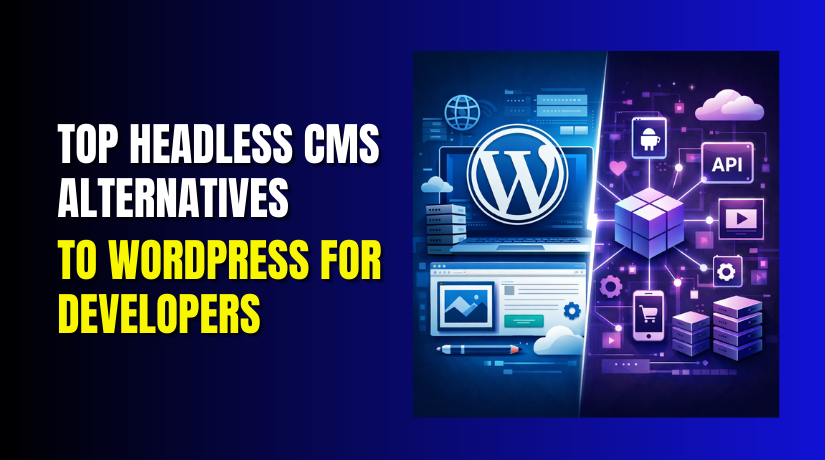
Top Headless CMS Alternatives to WordPress for Developers
Table of Contents
- Introduction
- What is a Headless CMS?
- Why Developers Are Turning to Headless CMS
- Top Headless CMS Alternatives to WordPress
- Features to Look for in a Headless CMS Alternative
- Choosing the Right Headless CMS for Your Project
- Pros and Cons of Headless CMS Alternatives
- Conclusion
Introduction
A content management system that concentrates on the back-end is called a headless CMS. It keeps content production, storage, and display apart. A headless CMS lacks an integrated front-end, in contrast to more conventional CMS platforms like WordPress. Rather, it uses APIs to provide content to any front-end system of your choosing.
Developers have more control with this method. Any front-end technology, including Angular, Vue, and React, can be used by them. Highly personalized user experiences are made possible by this flexibility. In today’s multi-channel world, a headless CMS can send content to websites, apps, or even smart devices.
Why is this important? Businesses need to manage and display content across many platforms. A headless CMS can handle this task effectively. Without being constrained by a particular design, it enables material to be delivered smoothly across numerous channels. Developers can focus on creating the best user interface for each platform.
A headless content management system could be the best option if you’re searching for WordPress substitutes. These platforms offer more flexibility and scalability. They provide powerful solutions for developers who want to create modern, multi-platform websites and applications.
What is a Headless CMS?
A content management system that only uses the back end is called a headless CMS. It lacks an integrated front-end. Rather, content is delivered via APIs to any platform or device from a centralized system. This means developers can use any technology to display content on the front-end.
“Headless” describes the lack of a front-end. The display layer is connected to the content management system in a modern CMS. However, content and appearance are kept apart with a headless CMS. This gives developers complete control over how content is presented on websites, mobile apps, or even IoT devices.
Key Benefits of Headless CMS:
- Flexibility: Front-end technology are up to developers.
- Multi-Channel Delivery: A variety of platforms, including websites, apps, and smart devices, can receive content.
- Faster Development: Front-end and back-end development are decoupled, allowing teams to work independently.
- Scalability: As businesses grow, headless CMS solutions can scale more easily than traditional CMS platforms.
Many developers prefer headless CMS solutions for modern websites because they are designed for flexibility. Unlike traditional CMS systems, a headless CMS enables content delivery across multiple platforms. With best CMS for headless architecture, businesses can ensure their websites are scalable, fast, and future-ready.
Why Developers Are Turning to Headless CMS
Developers are increasingly choosing headless CMS over traditional CMS platforms like WordPress. The main reason is flexibility. Developers can manage the display of content with a headless CMS. With a traditional CMS, the design and content management are tightly coupled, limiting the developer’s options. This link is broken by a headless CMS, allowing developers to select their preferred front-end technology.
More scalability is possible with headless CMS. When you separate content management from the front-end, the back-end can handle more data and users without affecting performance. For companies with heavy traffic or those looking to expand, this scalability is essential. A headless CMS can easily accommodate increasing content and users, while traditional CMS platforms may face limitations.
Multi-channel delivery is an additional advantage. A headless CMS can deliver content across websites, mobile applications, digital signage, kiosks, and other platforms. With a traditional CMS, content is usually limited to the website’s front-end. With a headless CMS, developers can repurpose content for various platforms without needing to redesign or reformat it. This is especially beneficial for businesses aiming to engage customers across multiple devices and channels.
Furthermore, headless CMS platforms are optimized for API-first development. APIs allow developers to fetch content in real-time and serve it to users instantly. This improves user experience and speeds up site loads, both of which are critical for SEO and user engagement.
While WordPress is still widely used, top alternatives to WordPress headless are gaining traction due to these advantages. They offer more customization, flexibility, and scalability.
Top Headless CMS Alternatives to WordPress
When looking for alternatives to WordPress for headless CMS, there are many powerful options to choose from. These platforms offer developers flexibility, scalability, and easy integration. Below are some of the best headless CMS alternatives that provide robust solutions for modern content management needs.
- Strapi
One of the most widely used open-source headless CMS systems for developers is Strapi. It is built using Node.js and supports both RESTful and GraphQL APIs.
- Pros:
- Open-source, so it’s free to use.
- Highly customizable with plugin support.
- Supports both RESTful and GraphQL APIs.
- Easy to set up and use.
- Cons:
- Requires some technical knowledge to set up and configure.
- For beginners, the learning curve may be steep.
Best For: Developers seeking a solution that is adaptable and adjustable. Strapi is great for creating dynamic websites, apps, or any content-based project.
- Contentful
You can easily manage content and distribute it to other platforms with Contentful, a powerful enterprise-grade headless CMS. It’s built for scalability and integrates smoothly with modern tech stacks.
- Pros:
- User-friendly interface with easy content management.
- Excellent API capabilities that handle GraphQL and RESTful APIs.
- Scalable and made for managing material at the corporate level.
- Supports multiple content types, making it versatile for different industries.
- Cons:
- Can get expensive as you scale, especially for larger teams.
- Limited features in the free tier.
Best For: Businesses that need an enterprise-level headless CMS solution for multi-channel content delivery.
- Sanity.io
A versatile headless CMS, Sanity.io is renowned for its structured content and real-time collaboration. It’s designed to be developer-friendly and offers a high degree of customizability.
- Pros:
- Real-time content collaboration and preview.
- Highly customizable with a flexible content model.
- Structured content makes it easy to scale and maintain.
- Integrates well with modern front-end technologies.
- Cons:
- Has a more challenging learning curve than other platforms.
- For those seeking a straightforward answer, it might not be the ideal option.
Best For: Developers who need real-time editing and structured content management.
- Ghost
Ghost is a powerful headless CMS designed primarily for publishing and content-heavy websites. It is perfect for blogs and content-driven websites because it is lightweight and designed with SEO in mind.
- Pros:
- Simple and easy-to-use interface.
- Focuses on performance and speed, ideal for content-heavy sites.
- Integrated SEO tools to raise search engine ranks.
- Enables the delivery of dynamic content on several platforms.
- Cons:
- Mainly geared toward content-based websites like blogs.
- Less adaptable than other headless content management systems.
Best For: Content producers and bloggers in need of a straightforward yet powerful headless CMS system.
- Directus
Directus is an open-source headless CMS that provides a user-friendly interface while giving developers the flexibility to build custom solutions. It focuses on delivering both headless and fully-managed content management solutions.
- Pros:
- Open-source and customizable.
- User-friendly interface for content producers and developers alike.
- Supports custom data structures and content types.
- Great for smaller teams and businesses needing a flexible solution.
- Cons:
- Some sophisticated capabilities that are included in larger, enterprise-grade platforms are absent.
- The community support is still growing, so it may lack some resources.
Best For: Small to medium-sized businesses or developers who want a simple, open-source headless CMS with full control.
Features to Look for in a Headless CMS Alternative
There are a few important aspects to take into account while selecting a headless CMS substitute for WordPress. These features ensure that the CMS meets your development needs and supports long-term scalability.
- API Flexibility
The ability to retrieve material using APIs is one of the key benefits of utilizing a headless CMS. Make sure a headless CMS supports GraphQL and RESTful APIs while assessing it. These APIs allow your content to be easily accessed by any front-end framework, whether it’s React, Angular, or Vue.


- RESTful APIs: Easier to use and widely supported across platforms.
- GraphQL APIs: More flexible and efficient for querying specific data.
- Content Modeling
Content modeling is crucial in a headless CMS because it defines how your content is structured. Seek out systems that provide flexible content modeling so you may design unique fields, relationships, and content types.
- Custom content types: Organize content according to your specific needs.
- Relationships: Link content across different sections or types of content.
The more flexible your content model, the easier it will be to scale as your site grows. This is particularly crucial for dynamic websites or applications that need content that is always changing.
- Multi-Channel Support
A great headless CMS should support multi-channel content delivery. This implies that the content can be supplied to more than just a website. For instance, content ought to be readily available on:
- Websites
- Mobile apps
- Digital signage
- IoT devices
Businesses that must manage and distribute content across numerous touchpoints will find this capability extremely crucial.
- User-Friendly Interface
While a headless CMS is built for developers, the content management experience should be easy for content creators to use. A user-friendly interface allows non-technical teams to manage and publish content without requiring developer assistance.
- Content preview: Make sure the content appears exactly as it will on the front end.
- Editor tools: Easy-to-use tools for content creation and editing.
An easy-to-use content management dashboard is provided by numerous headless CMS solutions. Teams may now work together on material more easily, even if they lack technical expertise.
- Scalability and Performance
Scalability is another important feature when evaluating a headless CMS. As your website or app grows, your CMS should be able to handle more content and traffic without compromising performance. Look for platforms that provide:
- CDN (Content Delivery Network) integration: Helps deliver content quickly to users, no matter their location.
- Cloud hosting: Many headless CMS options offer cloud-based hosting, which scales easily as your traffic grows.
Performance is key for SEO, so choose a CMS that can quickly deliver content to users, resulting in faster load times.
Choosing the Right Headless CMS for Your Project
A number of factors influence the choice of headless CMS.. Every project has different requirements, so it’s important to select a platform that aligns with your needs.
- Project Scope and Complexity
The first step in choosing a headless CMS is assessing the complexity of your project. For small projects or blogs, you may want a lightweight, easy-to-use platform like Ghost. However, for enterprise-level projects, Contentful or Strapi may be a better fit due to their scalability and feature sets.
- Simple Projects: Ghost or Directus for quick and easy deployment.
- Enterprise Projects: Contentful or Strapi for flexibility and scalability.
Evaluate the features and flexibility required for your project to determine which platform offers the best solution.
- Front-End Requirements
The next consideration is how your content will be displayed on the front-end. Do you need complex front-end interactivity, or are you building a simpler static site? If you’re building a high-performance app or website, you’ll need a CMS that works well with modern front-end frameworks like React, Vue.js, or Angular.
- React/Vue Compatibility: Look for platforms like Strapi or Contentful, which support these frameworks out of the box.
- Static Websites: If speed and simplicity are your main priorities, Ghost or Directus can be a good choice.
If you’re planning to use Server-Side Rendering (SSR) or Static Site Generation (SSG), choose a headless CMS that integrates seamlessly with these technologies.
- Integration with Other Tools
A great headless CMS should integrate well with your existing toolset. Look for a CMS that supports:
- E-commerce: If you’re building an online store, look for CMS platforms that easily integrate with platforms like Shopify or WooCommerce.
- Marketing Automation: CMS platforms that work with tools like HubSpot, Mailchimp, or Salesforce are ideal for businesses with complex marketing workflows.
- Analytics: CMSs that integrate with Google Analytics or other reporting tools help you track and optimize content performance.
Choosing a CMS that integrates well with your tools helps streamline workflows and ensures a smoother development process.
- Cost Considerations
The cost of a headless CMS can vary greatly depending on the platform and scale of your project. Some platforms offer free open-source solutions like Strapi, while others, like Contentful, charge based on usage.
Consider the long-term costs when evaluating a CMS. For small projects, free or affordable CMS options like Directus or Ghost may be sufficient. However, for large-scale applications or businesses, investing in a more robust solution like Contentful may provide the features and scalability you need.
Pros and Cons of Headless CMS Alternatives
Weighing the benefits and drawbacks of headless CMS alternatives to WordPress is crucial. Even though these platforms have a lot to offer, there are some disadvantages to consider.
Pros of Headless CMS Alternatives
- Flexibility: Any front-end technology can be used by developers using Headless CMS. Whether it’s React, Vue.js, or Angular, developers have complete freedom to create a custom design. Compared to conventional CMS solutions, this flexibility is a major benefit.
- Scalability: Many headless CMS platforms are cloud-based and designed to scale. This is ideal for growing businesses or projects with large amounts of content.
- Multi-Channel Distribution: Websites, mobile apps, kiosks, and even Internet of Things devices can all get content. Because of their adaptability, headless CMS solutions are ideal for contemporary multi-channel websites.
- Performance: Headless CMS platforms can enhance website performance and load times by separating the front-end and back-end.
- Better User Experience: With a headless CMS, developers can optimize the user interface (UI) for each platform, ensuring a smooth and personalized experience for users.
Cons of Headless CMS Alternatives
- Technical Complexity: Unlike traditional CMS platforms like WordPress, headless CMS solutions require more technical knowledge. Developers need to be well-versed in front-end frameworks, back-end systems, and APIs.
- Higher Initial Setup Costs: Certain headless CMS platforms might be costly, particularly if you require sophisticated features or heavy usage. While some platforms offer free versions, premium options often come with a price.
- Learning Curve: For teams accustomed to traditional CMS, the detached nature of headless CMS can be difficult. Getting used to the new tools and workflow may take some time.
- Limited Built-In Features: Unlike WordPress, which comes with a range of built-in themes and plugins, headless CMS platforms may require additional customization and integration for full functionality.
Keyword Integration:
- Best headless CMS for developers: Consider the pros and cons before choosing the best headless CMS for your project.
- Best headless CMS alternatives: Weigh the benefits of flexibility and scalability against potential challenges.
Conclusion
In conclusion, headless CMS alternatives offer flexibility and scalability, which traditional CMS platforms like WordPress cannot. These CMS options are ideal for developers who need custom websites or apps. They are more complicated and have a steeper learning curve, though.
Strapi, Contentful, and Sanity.io are great headless CMS alternatives, offering powerful features for modern websites. If you need multi-channel content delivery, headless CMS is the way to go. For smaller projects, WordPress might still be a better option.
If you need expert support or guidance with headless CMS or WordPress, WooHelpDesk can help. Contact us for setup assistance, advice, or ongoing support. Our goal is to make sure your project is successful.



