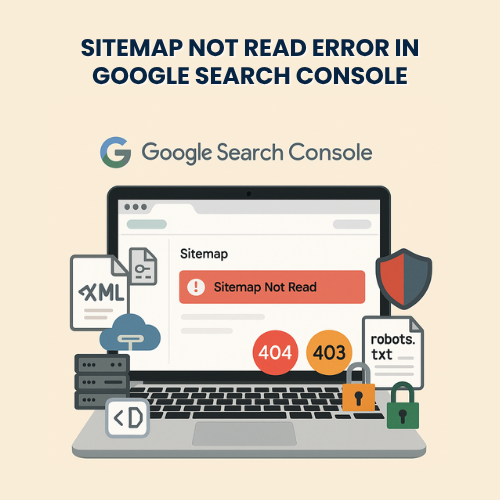
Sitemap Not Read Error in Google Search Console – Fixing & Troubleshooting Service
Seeing “Sitemap could not be read” or “Sitemap fetch failed” in Google Search Console hurts crawling, indexing, and SEO. This error usually comes from incorrect URLs, wrong MIME types, blocked access, invalid XML, plugin conflicts, caching/CDN rewrites, or server issues like 404/403/5xx responses. Sometimes Googlebot is blocked by robots.txt, firewalls, or security rules. Other times, the sitemap points to HTTP while your site is on HTTPS, or includes non-canonical domains and redirected links.
We focus only on fixing and troubleshooting this error. No fresh installations, no upsells. We audit your sitemap source, server headers, robots rules, and Search Console configuration, then apply precise fixes. We validate with live requests and submit clean sitemaps for reprocessing. For a flat $79, we get your sitemap readable and crawl-ready.
Pricing
Sitemap Not Read Error – Fixing & Troubleshooting: $79 (one-time).
Includes diagnosis, repair, testing, and a short report.
Estimated Delivery
- Common header/robots/cache issues – Same day
- CDN/WAF and complex rewrites – Within 1 business day
What We Do
What We Fix
-
“Sitemap could not be read” / “General HTTP error”
-
“Couldn’t fetch” / “Sitemap fetch failed” / “Sitemap is HTML”
-
404/403/401/5xx responses on sitemap URLs
-
Wrong Content-Type (text/html instead of application/xml)
-
Mixed protocol or domain (HTTP vs HTTPS, with/without www)
-
Blocked by robots.txt, firewalls, or bot protection
-
Invalid XML, UTF encoding errors, or gzip corruption
-
Redirect chains or canonical mismatches inside the sitemap
-
Plugin/CDN/caching rewrites breaking sitemap structure
Why It Happens
-
-
Sitemap plugin conflict or outdated SEO plugin settings
-
Server/CMS creates HTML output instead of XML
-
Security rules, WAF, or rate limits blocking Googlebot
-
Cloudflare, CDN, or cache altering headers or URLs
-
Trailing slash and rewrite inconsistencies
-
Multisite or multilingual structures outputting wrong paths
-
Stale or deleted post URLs still listed in sitemap
-
How We Diagnose
-
-
Check Search Console status and last crawl details
-
Fetch sitemap with curl to inspect HTTP code and headers
-
Validate XML, namespaces, gzip, and encoding
-
Verify robots.txt allow rules for Googlebot and sitemaps
-
Inspect CDN/Cloudflare rules, page rules, and transforms
-
Review SEO plugin outputs (Yoast, Rank Math, SEOPress, AIOSEO)
-
Confirm canonical domain, www/HTTPS, and redirect rules
-
Test server logs for 403/429/5xx against Googlebot user-agents
-
Fix Actions We Perform
-
-
Restore correct Content-Type: application/xml and no-cache rules
-
Remove HTML output, PHP notices, or BOM characters from XML
-
Correct sitemap index and child sitemap URLs and paths
-
Fix HTTP→HTTPS, non-www→www (or reverse) consistency
-
Whitelist Googlebot in security/WAF; adjust bot fight modes
-
Update robots.txt: allow sitemaps and block only what’s needed
-
Remove dead URLs, non-canonical links, and redirect chains
-
Patch CDN rules and exclude sitemap endpoints from minify/rewrite
-
Regenerate sitemaps and resubmit in Search Console
-
WordPress-Specific Coverage
-
-
Yoast/Rank Math/SEOPress/AIOSEO sitemap repairs
-
Fix sitemap routes: /sitemap_index.xml, /post-sitemap.xml
-
WooCommerce product/category/tag sitemaps validation
-
Multisite, WPML/Polylang language sitemaps alignment
-
Nginx/Apache rewrite updates for pretty permalinks
-
Object cache and page cache exclusions for sitemap endpoints
-
Special Cases
-
-
Headless/decoupled setups exposing static XML correctly
-
Cloudflare Zaraz/Transform Rules altering responses
-
Password-protected or staging sites blocking Googlebot
-
Large sites: paginate sitemaps and keep each under limits
-
Non-200 but “soft-200” responses due to proxies/CDNs
-
Why Choose Us
-
$79 fixed for complete troubleshooting and repair
-
Deep experience with WordPress, WooCommerce, and SEO plugins
-
Same-day resolution for most websites
-
24/7 chat and email support
-
Refund guarantee if we can’t resolve it
How It Works
-
-
Share your sitemap URL(s) and site access
-
We audit headers, XML, robots, and CDN/security rules
-
We apply fixes, regenerate, and validate responses
-
We resubmit the sitemap in Search Console and monitor status
-
You receive a brief change log and prevention checklist
-
Conclusion
A sitemap Google can’t read means slower crawling and weaker indexing. We locate the exact cause, fix headers and rules, validate XML, and resubmit cleanly. Your sitemap becomes readable, consistent, and crawl-ready—restoring healthy indexing for your site, fast.
Frequently Asked Questions
Note : We are not the official provider of this product; we only offer support for it.
